
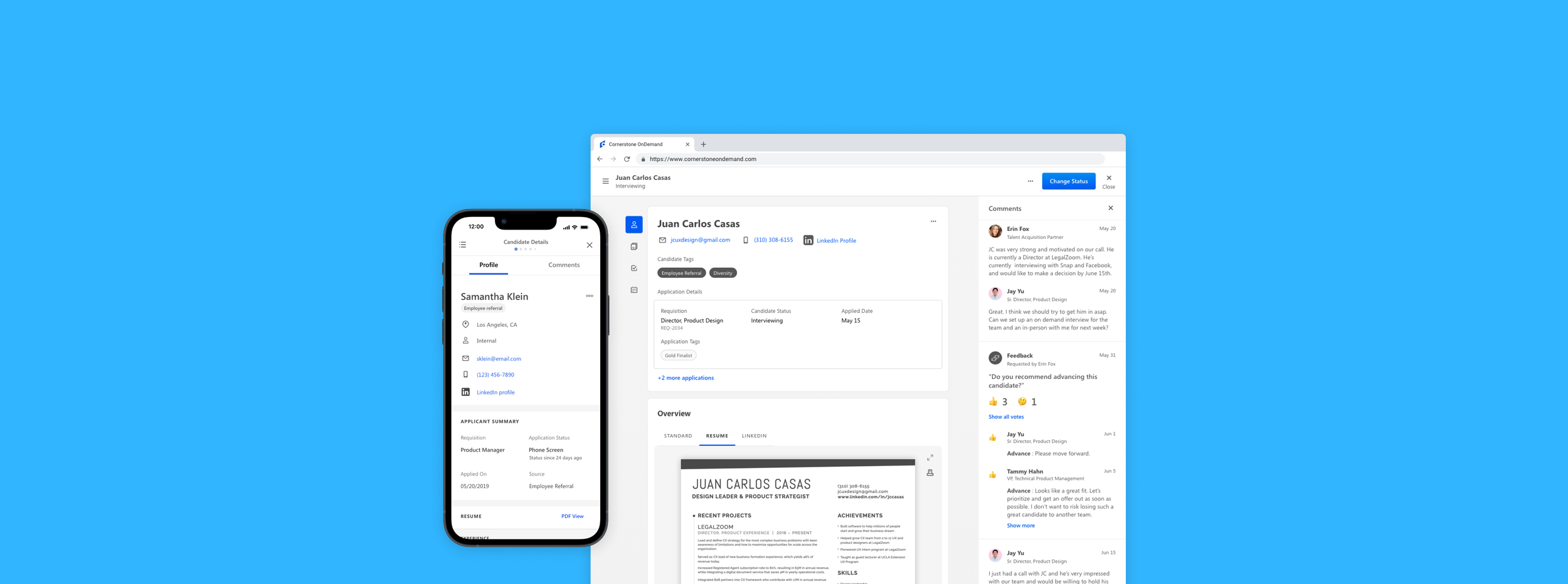
Applicant Profile
Part of the core workflow of Cornerstone’s Recruiting Product, Applicant Profile allows recruiters to easily retrieve and act on a single or multiple candidate wherever they are in the product.
My Role
Design Lead
Timeline
12 Weeks
Team
Senior Product Manager, Lead UI Developer
Problem
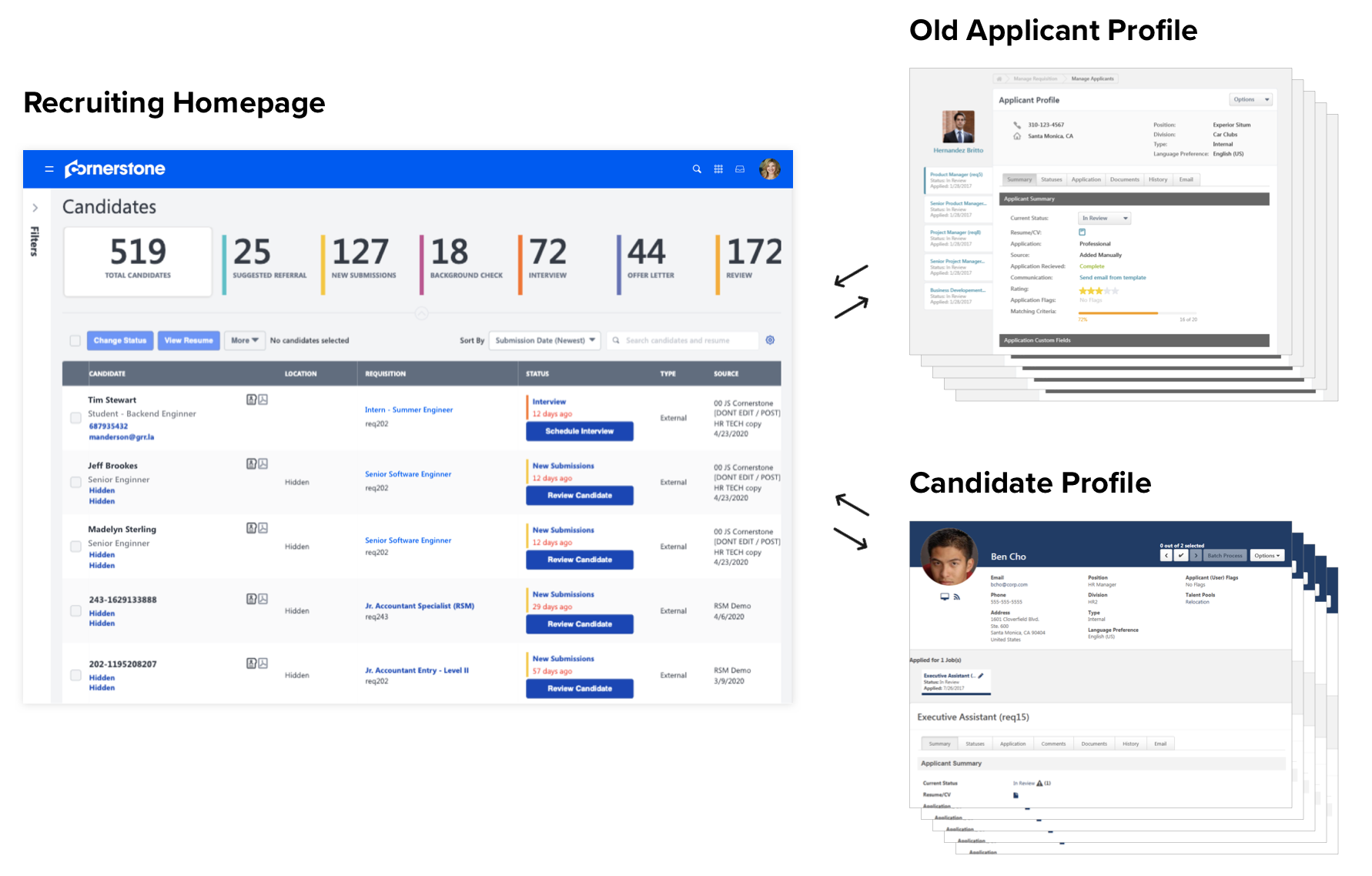
Recruiters find the Recruiting product counter-productive and confusing to screen candidates
Goal
How might we give Recruiters a simple and informative way to easily understand and act on a single or multiple candidates?
Research
We interviewed 7 recruiters, both in-house and clients. Also asked them to complete a survey, a card sorting exercise and user tasks of the existing product. In the end, this is what we discovered.

Average 8 secs to complete a status change per candidate
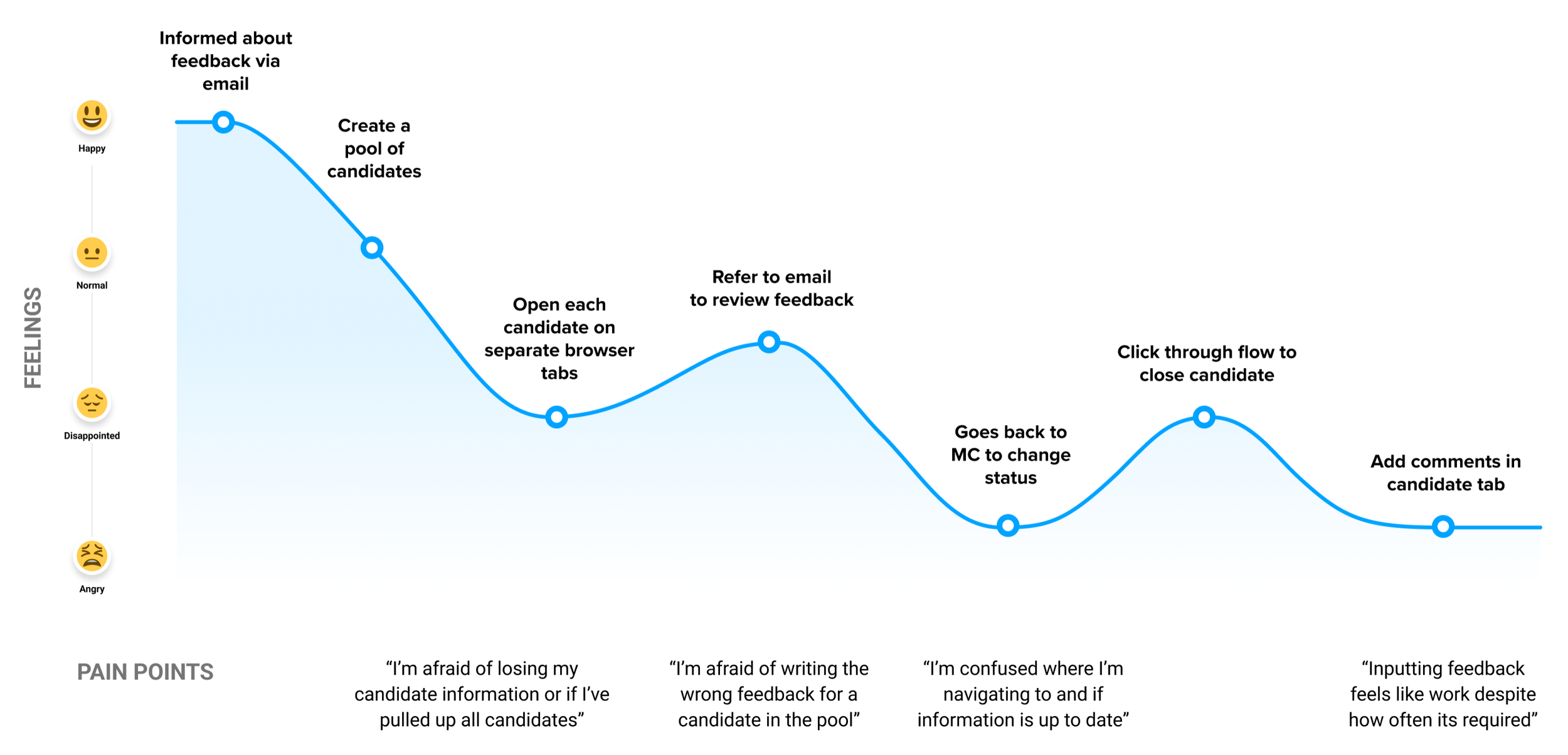
Due to system delays and the countless clicks to retrieve, compare, and share candidate info, the experience is cumbersome and confusing.
5 out of 7 recruiters do not log notes in system
Most log their feedback and notes on their own external spreadsheet which only they have access to. They only use the system for general candidate information and forms.
All the recruiters rely on email to communicate
Even though the product has the ability to communicate within the system, recruiters chose to communicate using email. They find it difficult to dig through profiles for feedback and stay up to date.
Takeaways
Consistent and constant referencing
Recruiters need to constantly refer to applicant’s general information, resume, and feedback throughout their screening process, especially when comparing candidates.
Feedback is key
Feedback about an applicant becomes more valuable than the general information. Recruiters need to spend most of their time reviewing feedbacks from hiring managers and interviewers.
Original information above all
Despite the product automatically parses applicants’ information, recruiters prefers to review original documents, mainly applicant’s uploaded resume throughout their screening.
Constraints
Must flow in existing paradigm
We had to design within the legacy product homepage, which is conflated with too much information and a confusing place to start.
Must design systematically
Applicant Profile was the first initiative of redesign the Recruiting core product, so we needed to think holistically and invent patterns that can apply in other Recruiting core flows.
Flow Highlights
How information is organized, relevant, and easily presented
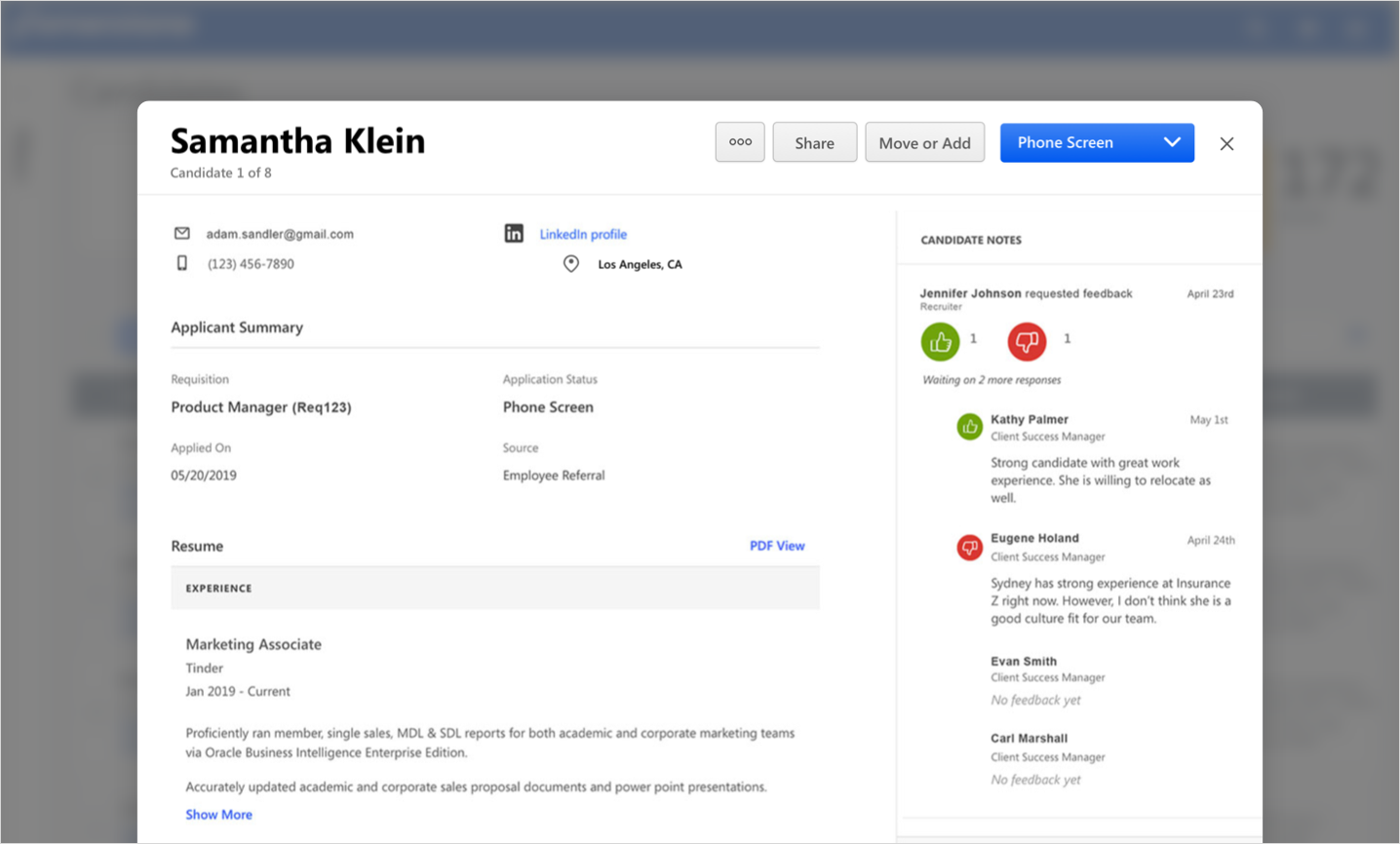
It was important we designed the Applicant Profile to be easily pulled from any steps in the Recruiting core workflow, but at the same time, maintain scalable information. In ways to call out the page, we’ve explored flyouts and even full page takeovers. Then went through multiple iterations on how information is structured and what information is presented depending on where the user is coming from.
Full screen
Bottom panel
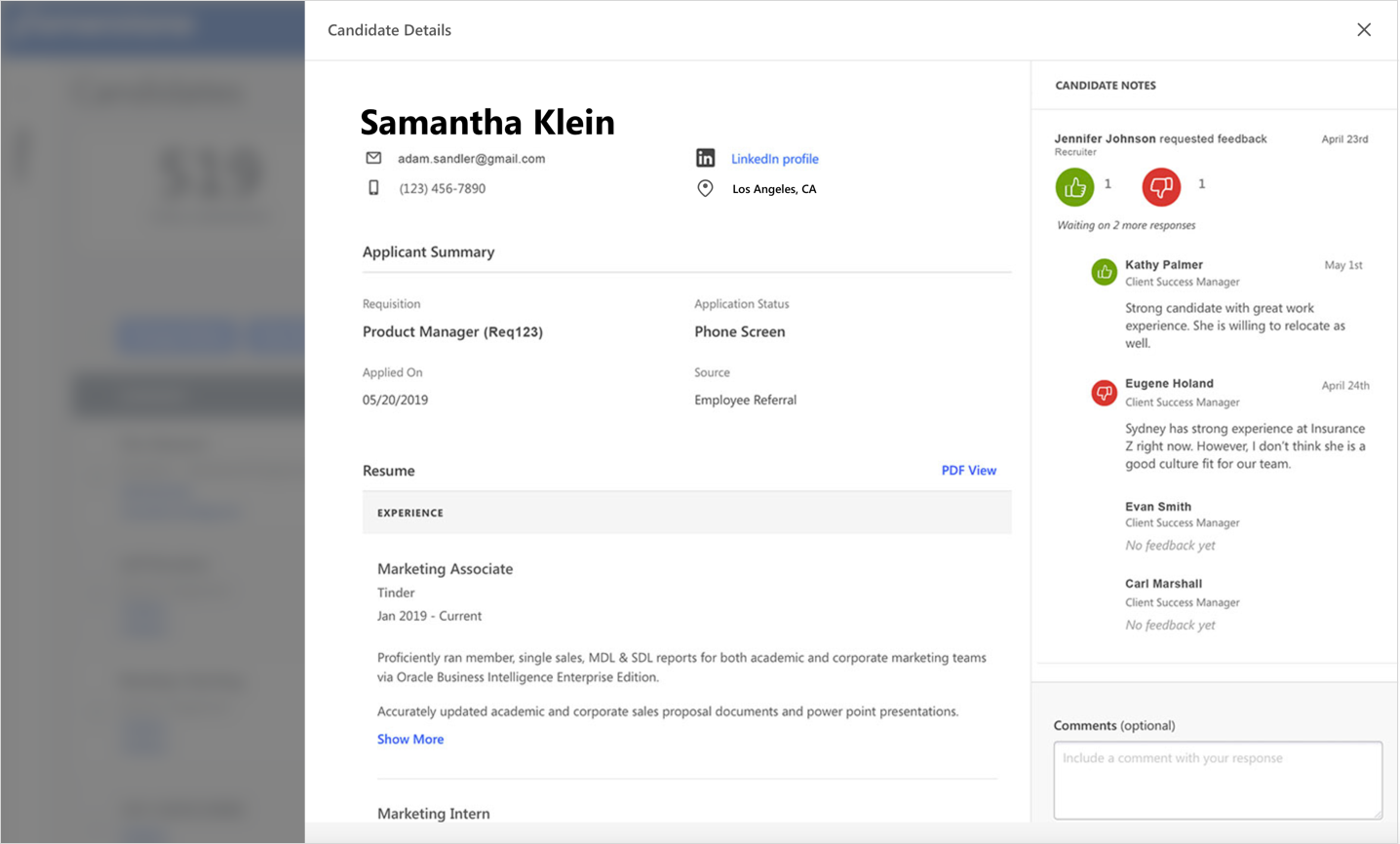
Flyout
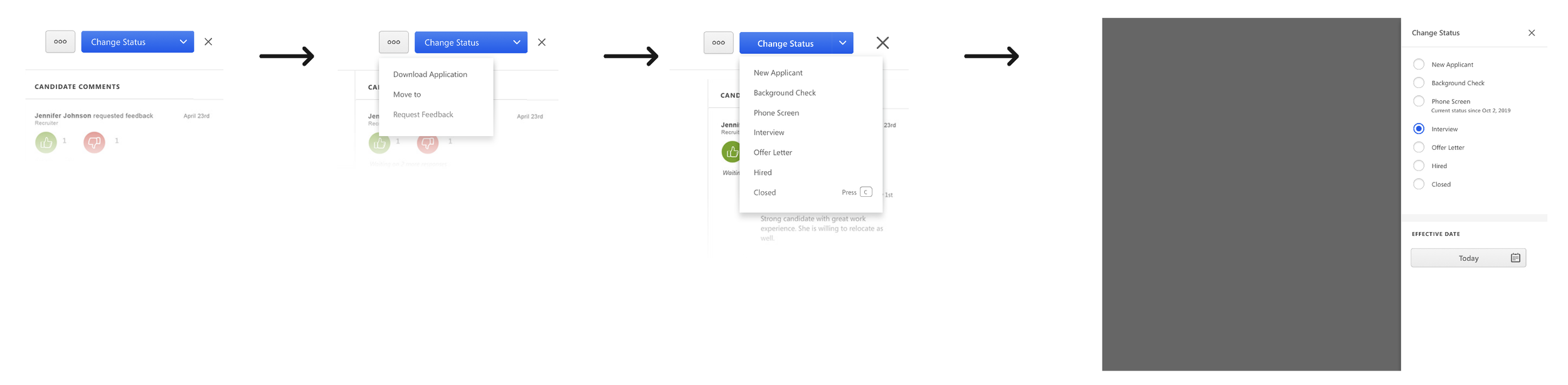
Quick and efficient ways to act on applicant
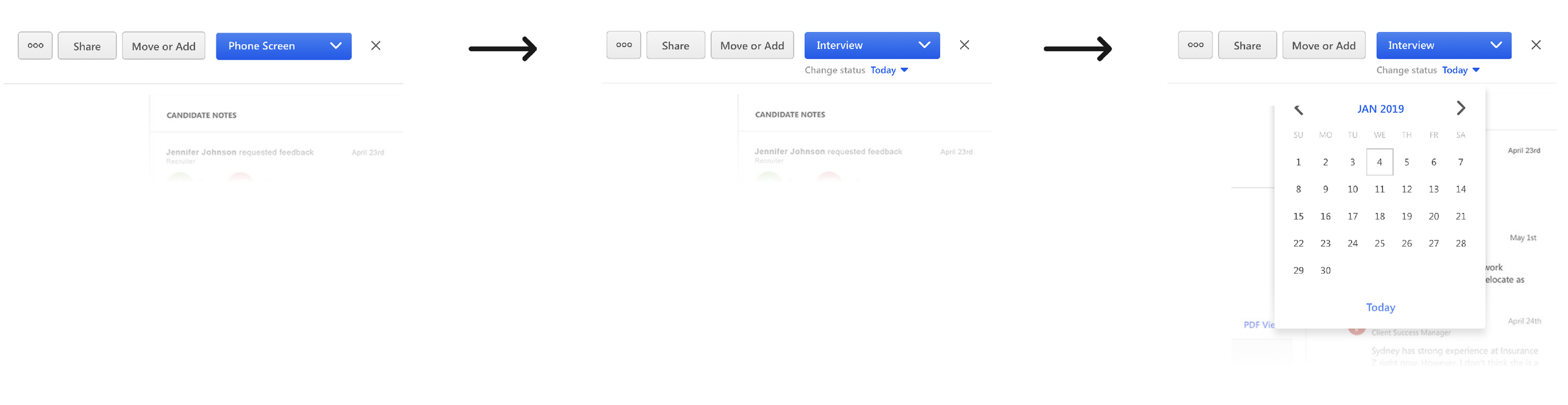
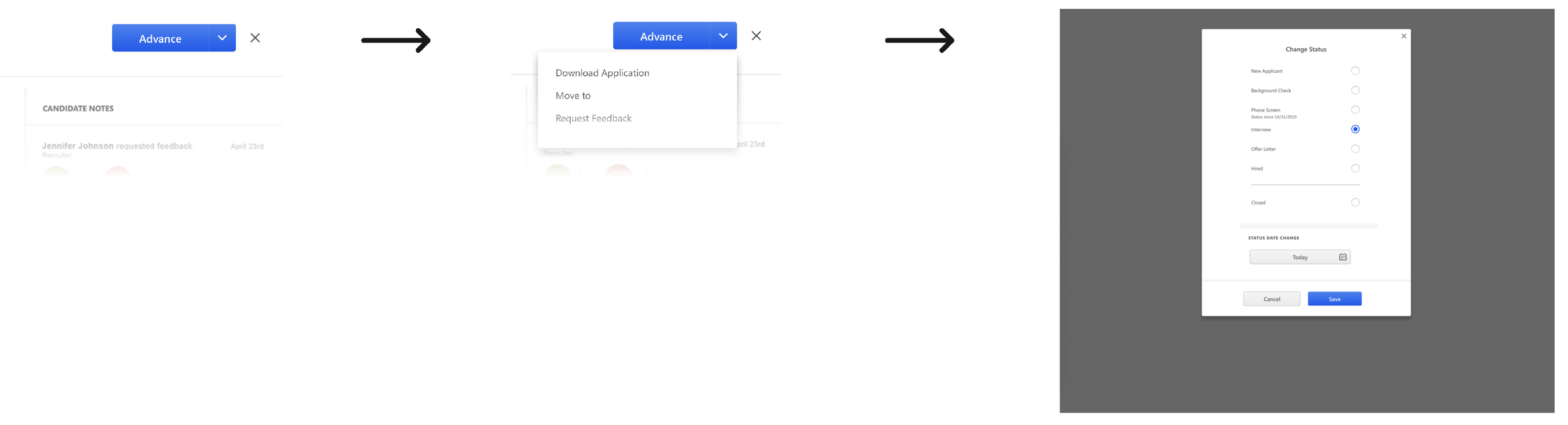
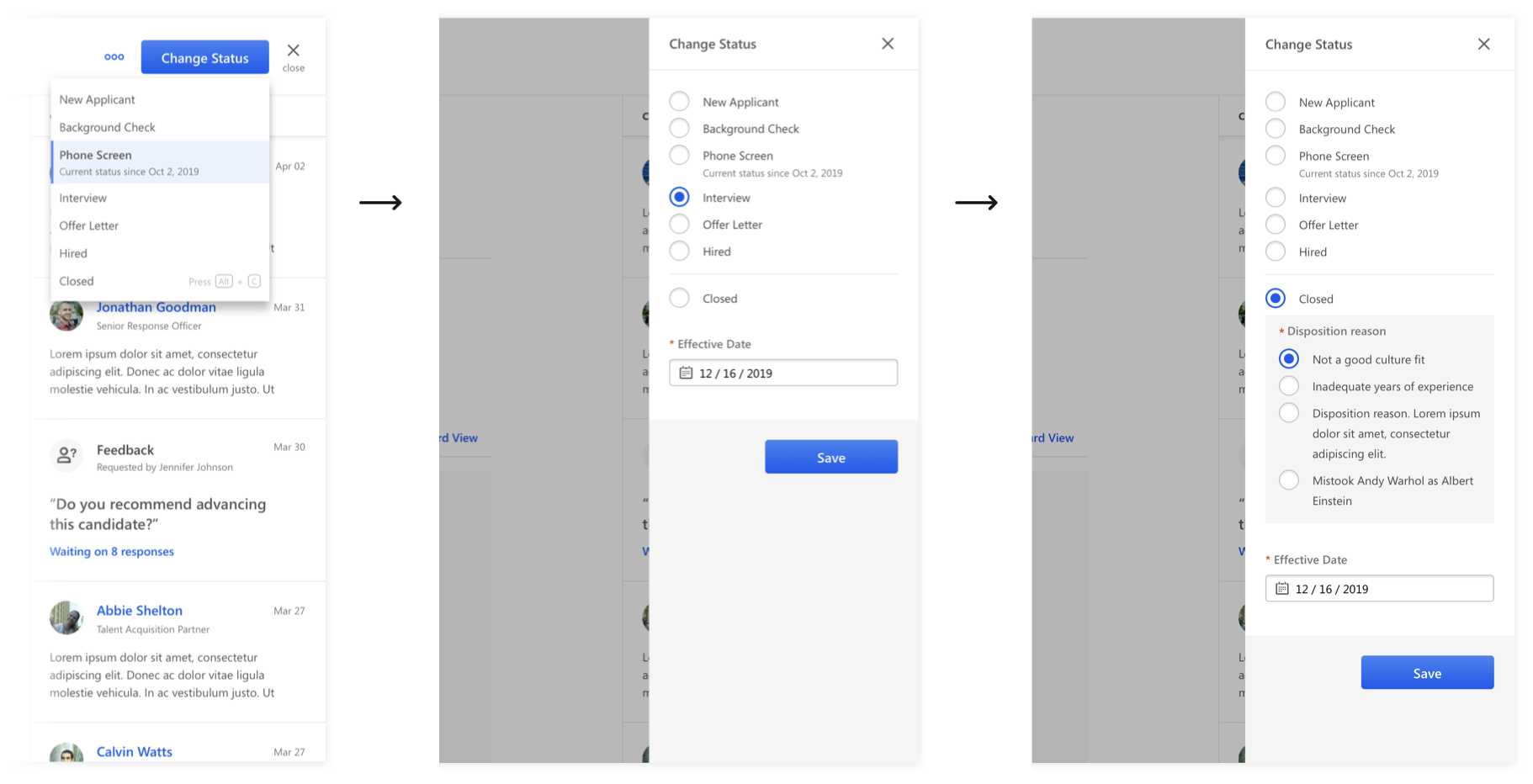
We knew the recruiter needed a quick way to change the status or close applicants easily. We also needed to accommodate for easily skimmability of applicant information, especially applicant status and to easily make decisions between status or secondary actions: move, share, and export.
Conditional inline status
Combined button group into modal
Separate button groups into flyout
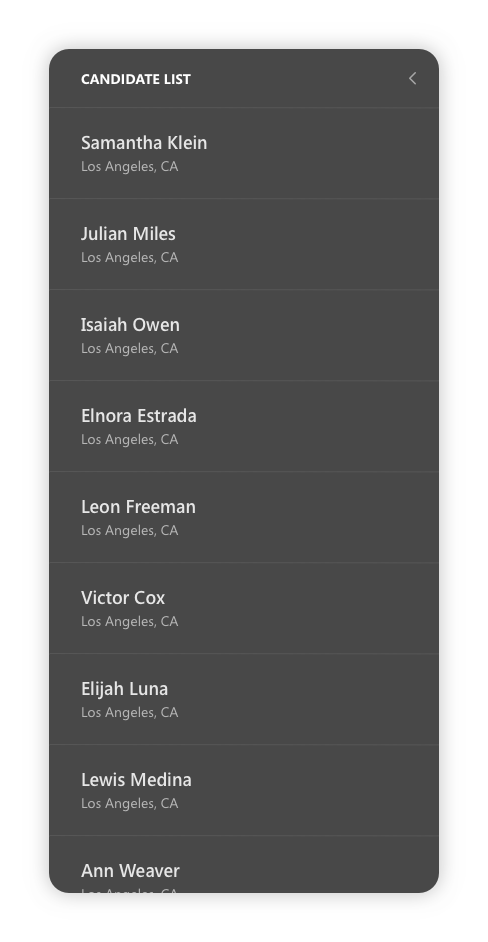
How to traverse through multiple candidates
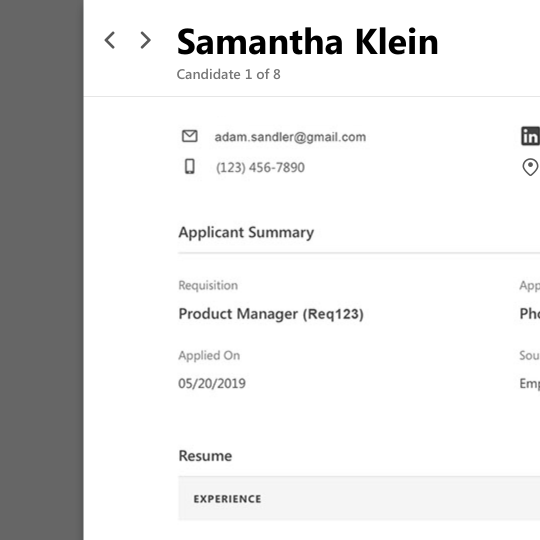
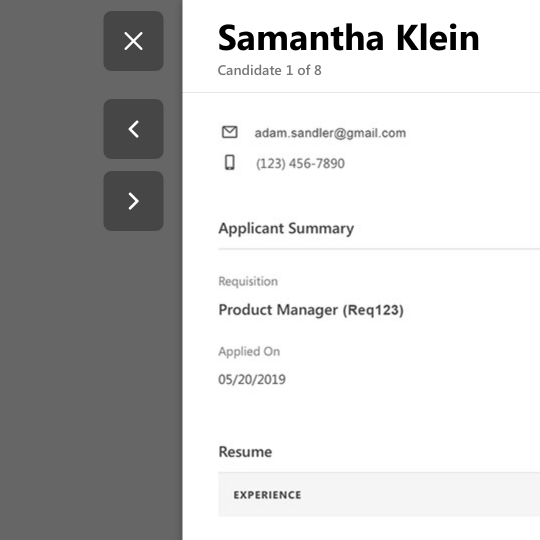
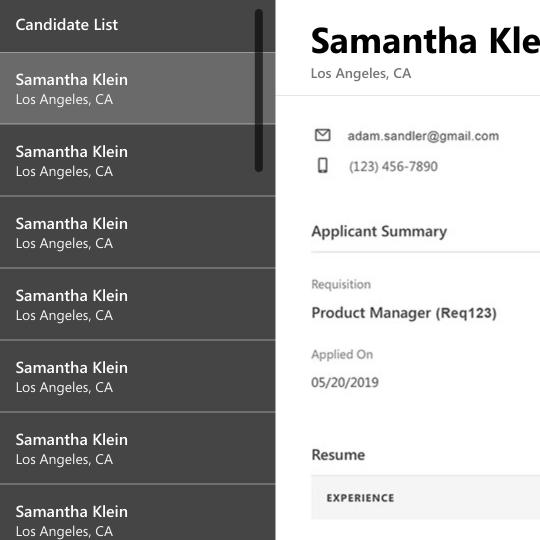
Recruiters usually work in groups of candidates, so to immediately identify and compare candidate information is very important. We explored and tested many ways to help recruiters carousel through selected multiple candidates and understand the size of group they’re making a decision on.
Inline navigation
Navigation buttons outside flyout
Persistent candidate list
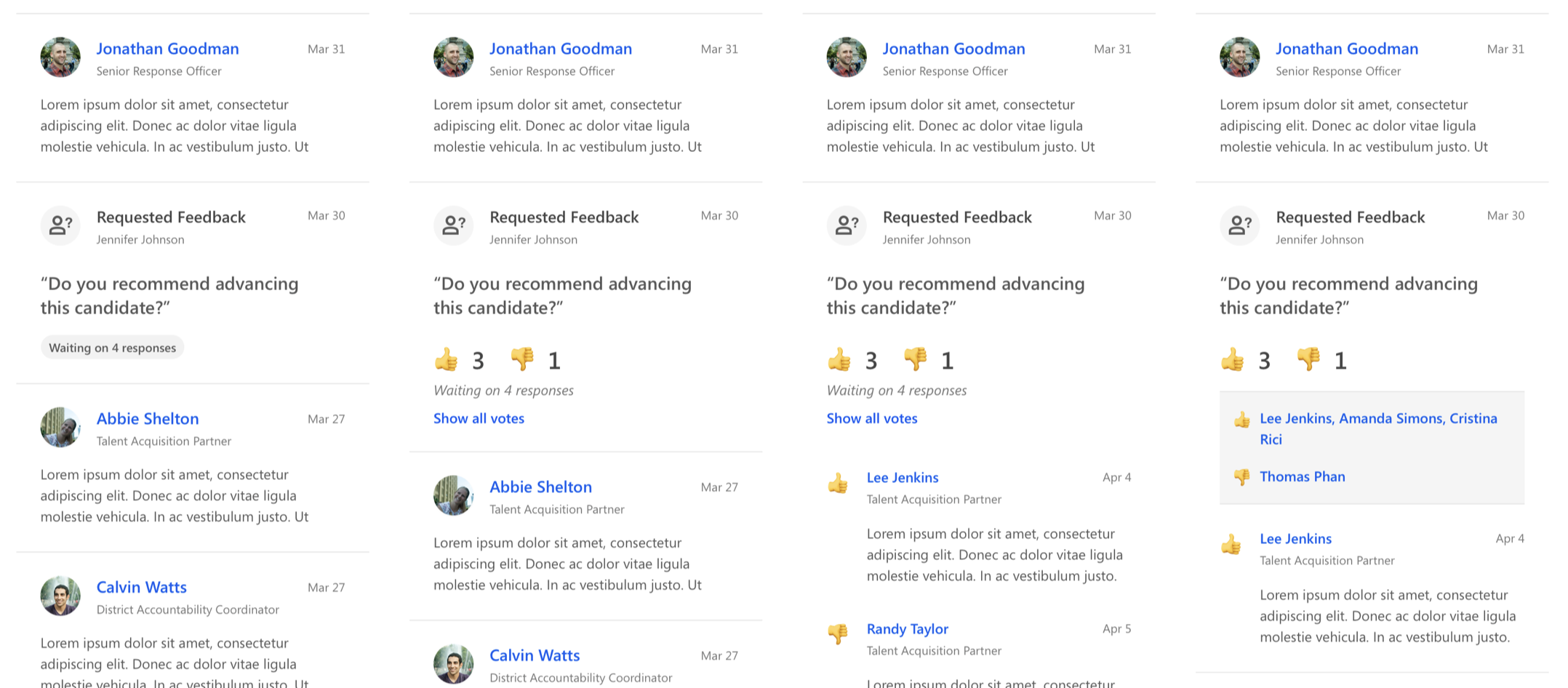
Feedback ideas
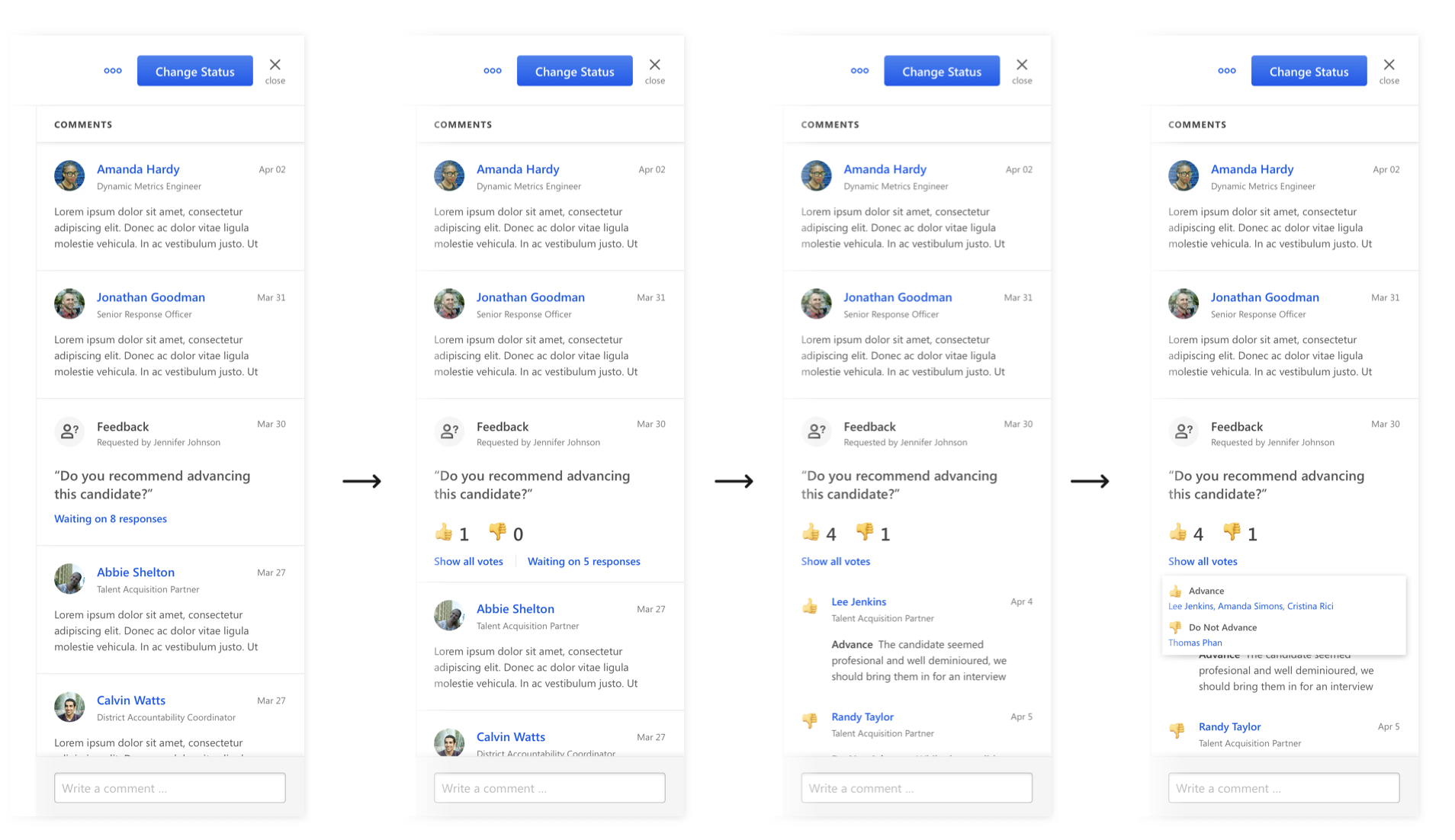
We explored multiple ideas on how visually feedback is aggregated, easily readable, and universally accessible in all cultures.
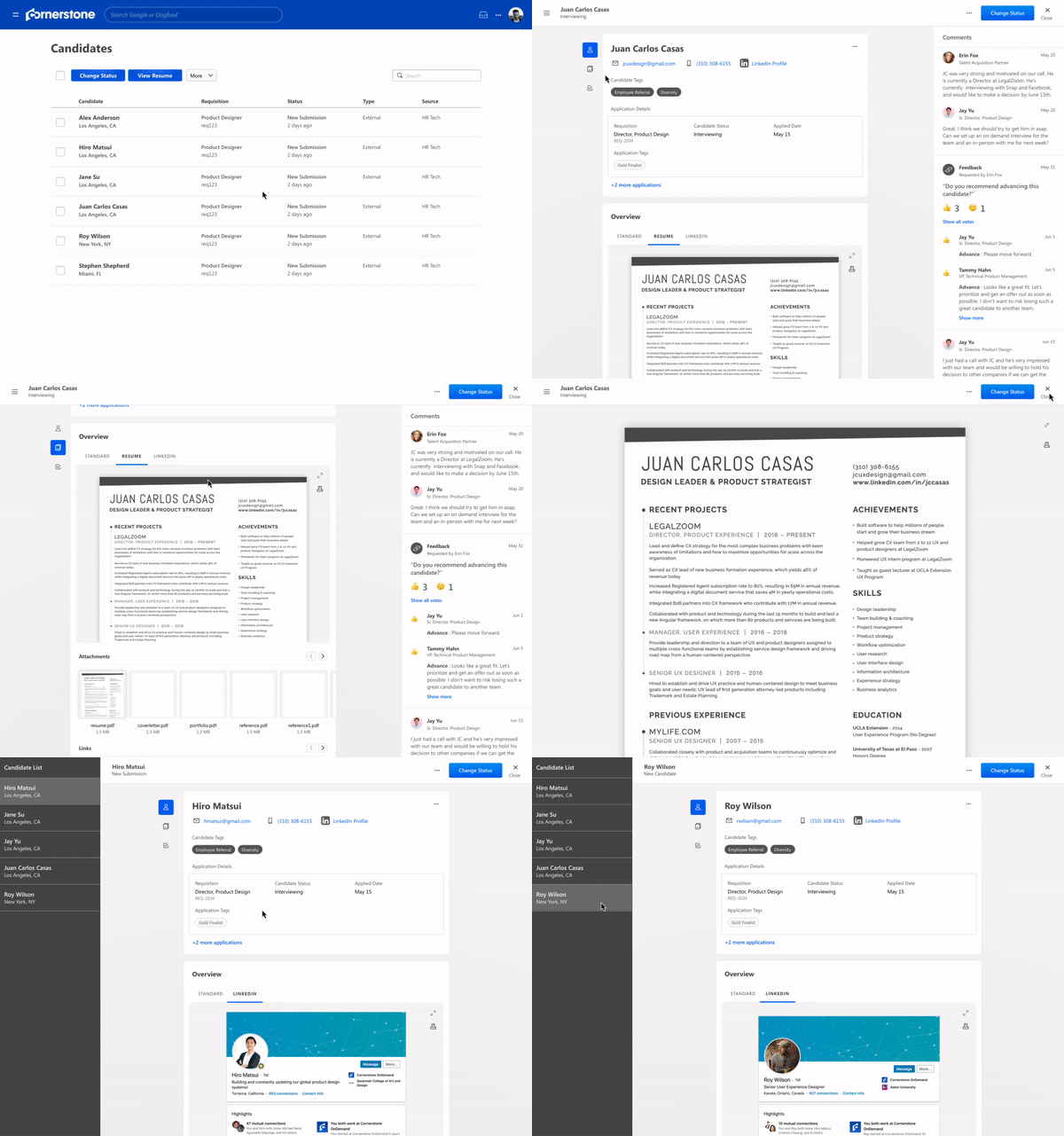
Final Design
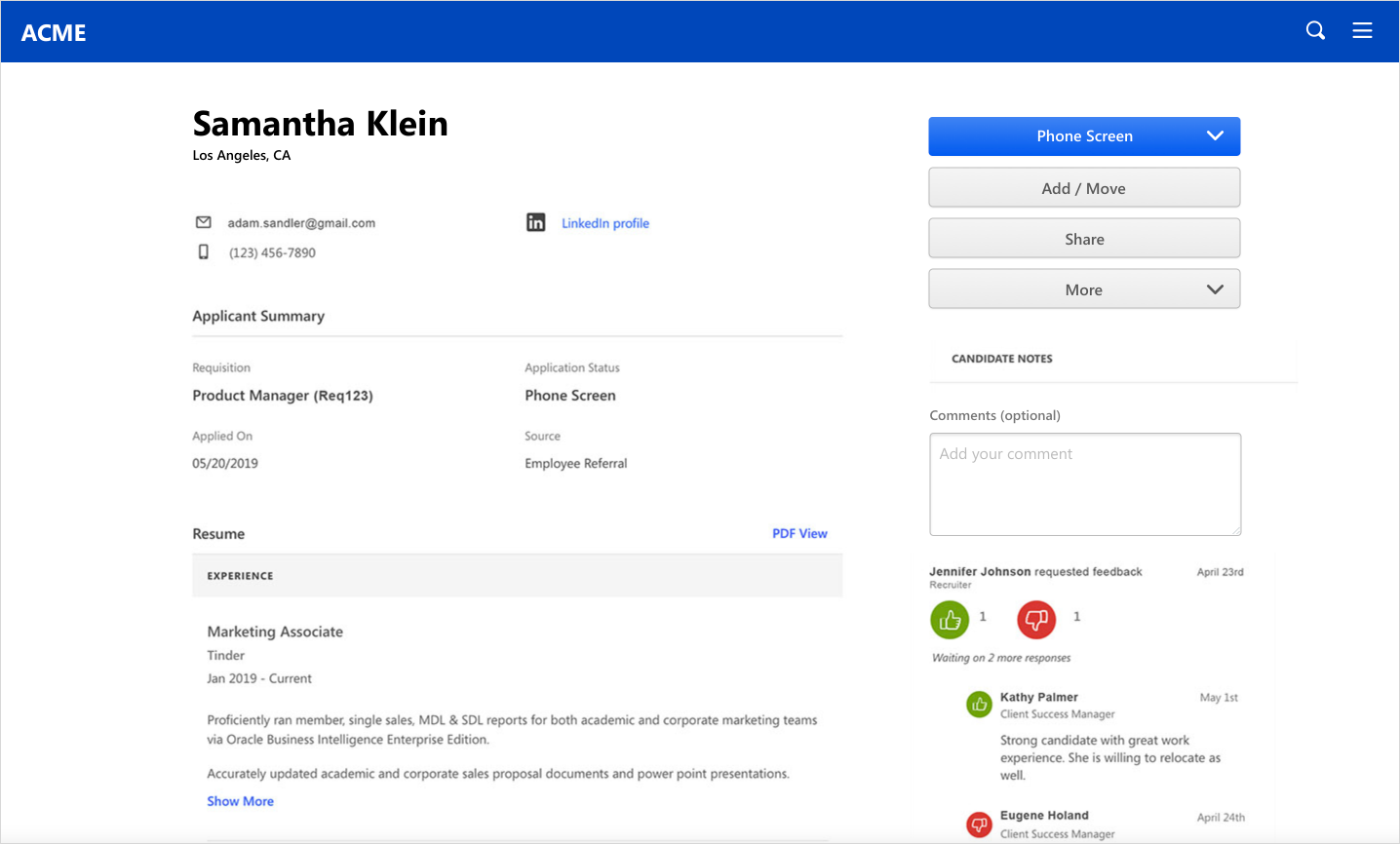
Since Applicant Profile was the initial design in the Recruiting product to adopt the design system, we knew we had to tackle the problem holistically and consider all core flows in the Recruiting products. Knowing how recruiters are consistently referring back to multiple informations, whether it be candidate information, forms, or job description, we were really designing a system scalable with any information that can be called out from anywhere.
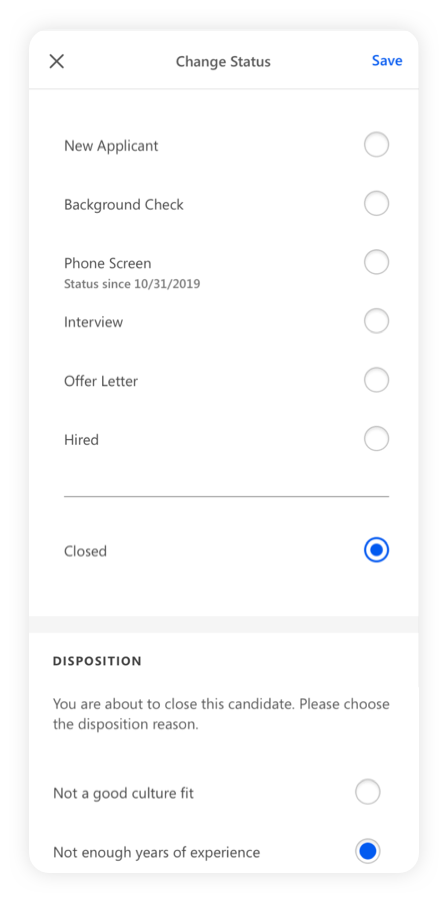
Changing Status
Receiving Feedback
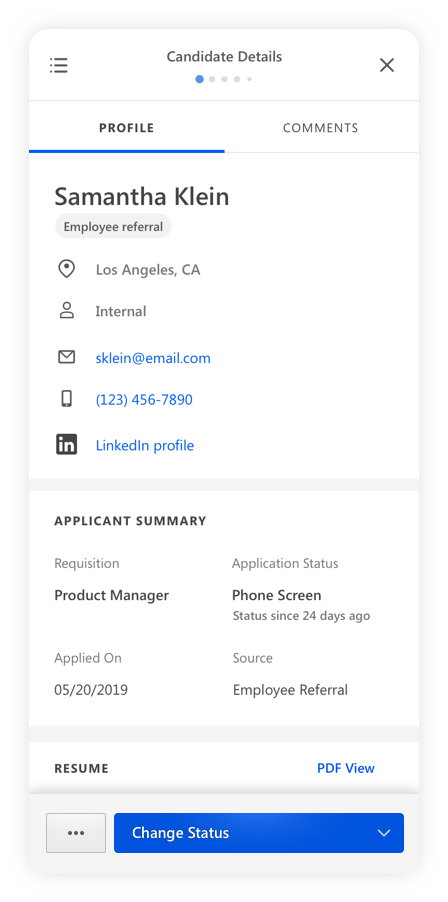
Mobile Designs
Design Handoff
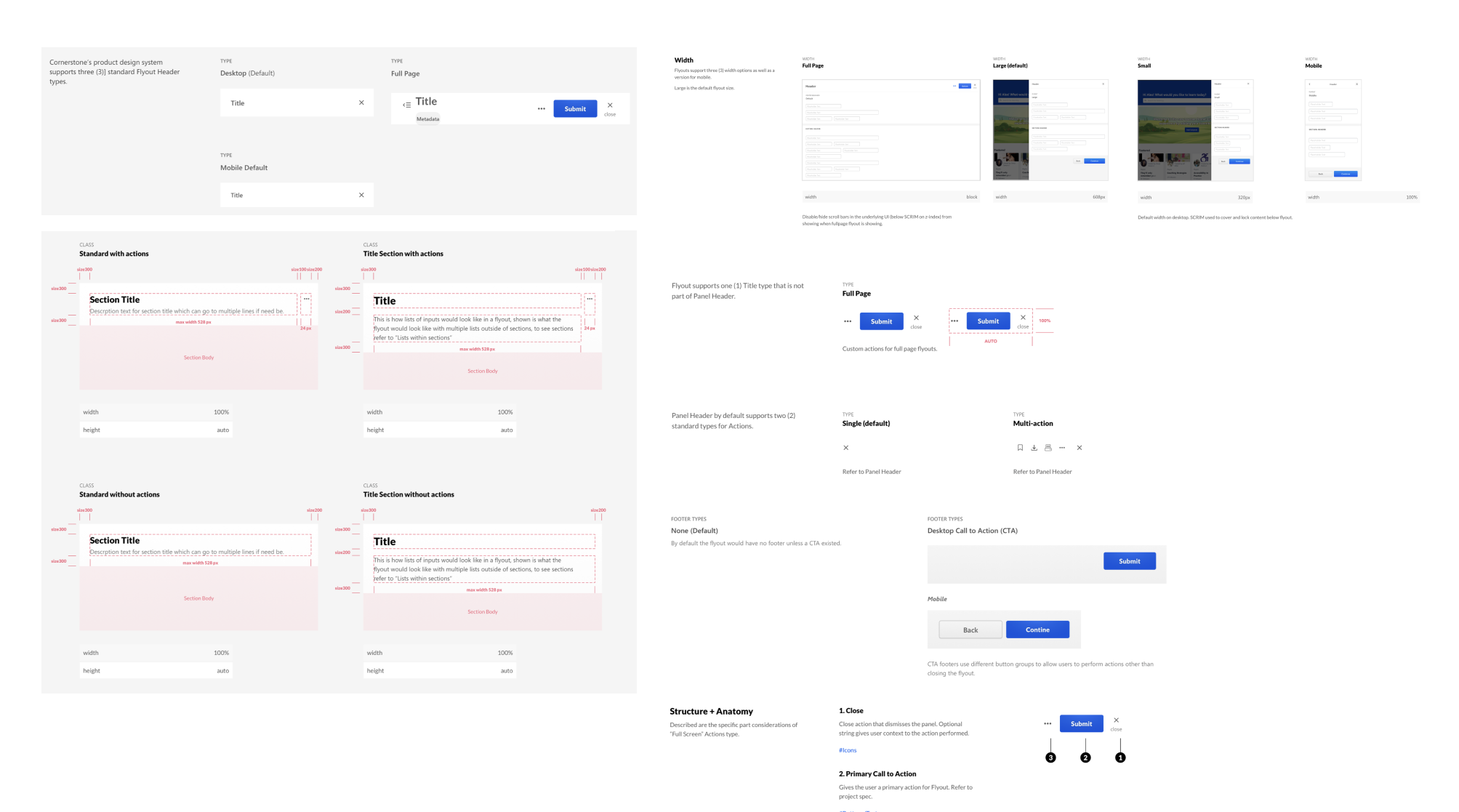
There were many new components created from Applicant Profile project for the design system. Many of the components, such as flyout, tile information, and button lists, were components designed with the other Recruiting core flows in mind. We spent weeks communicating the prototypes, even the structure of the specs, and decision process with the development team. Until we had a mutual understanding, we created specs that included dimensions, states, variations, and behaviors for each component.
Business Impact

The project was well received immediately when launched. We calculated adoption based on recruiters giving or replying feedback, since Applicant Profile is a required in the core flow. We also had a tremendous decrease in complaints, since many of the requests were addressed in this project. We conducted a NPS survey with client recruiters and received a score of 70. Many recommended the product due to the “modern” design and “simple and easy” experience.