
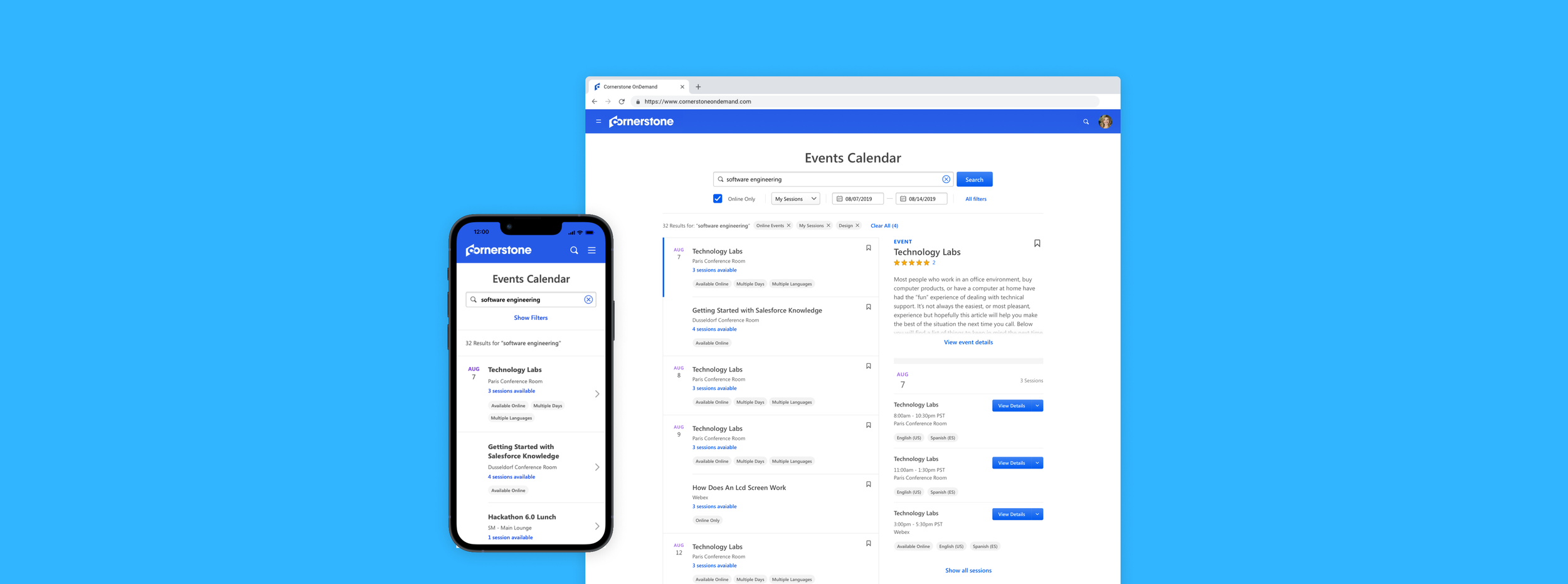
Events Calendar
A search engine for learners to easily find events they are interested or required to attend, based on the time, location, type, and language.
My Role
Design Manager
Timeline
6 Weeks
Team
Product Designer, Senior Product Manager, Lead UI Developer
Journey
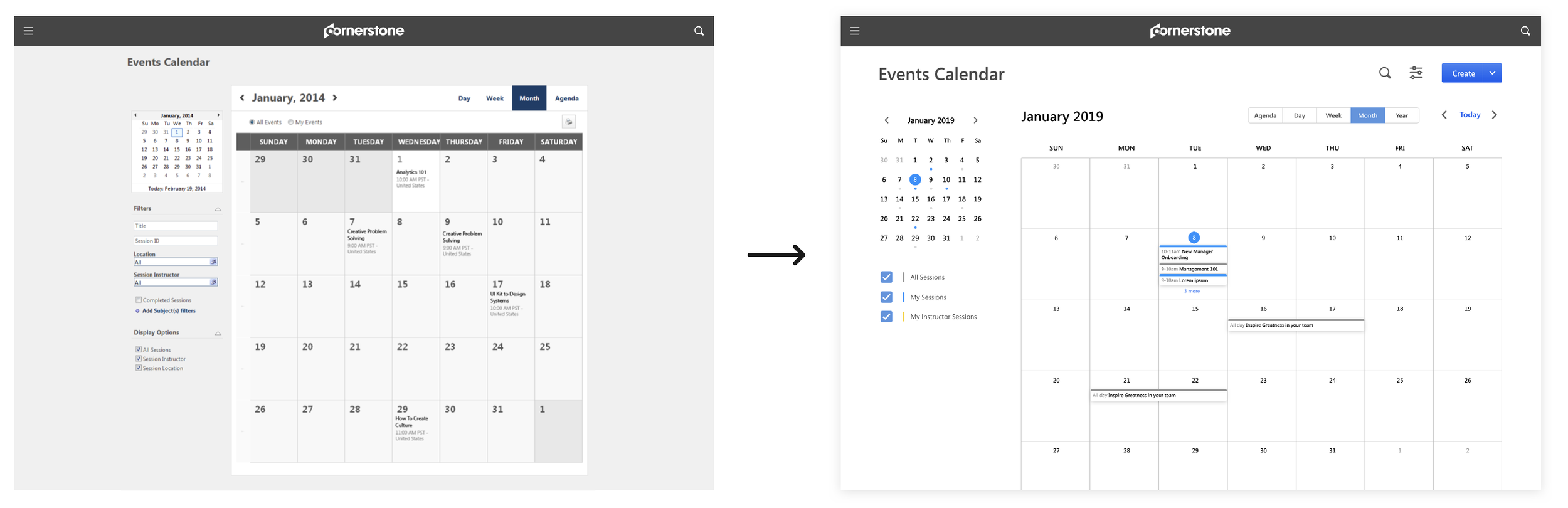
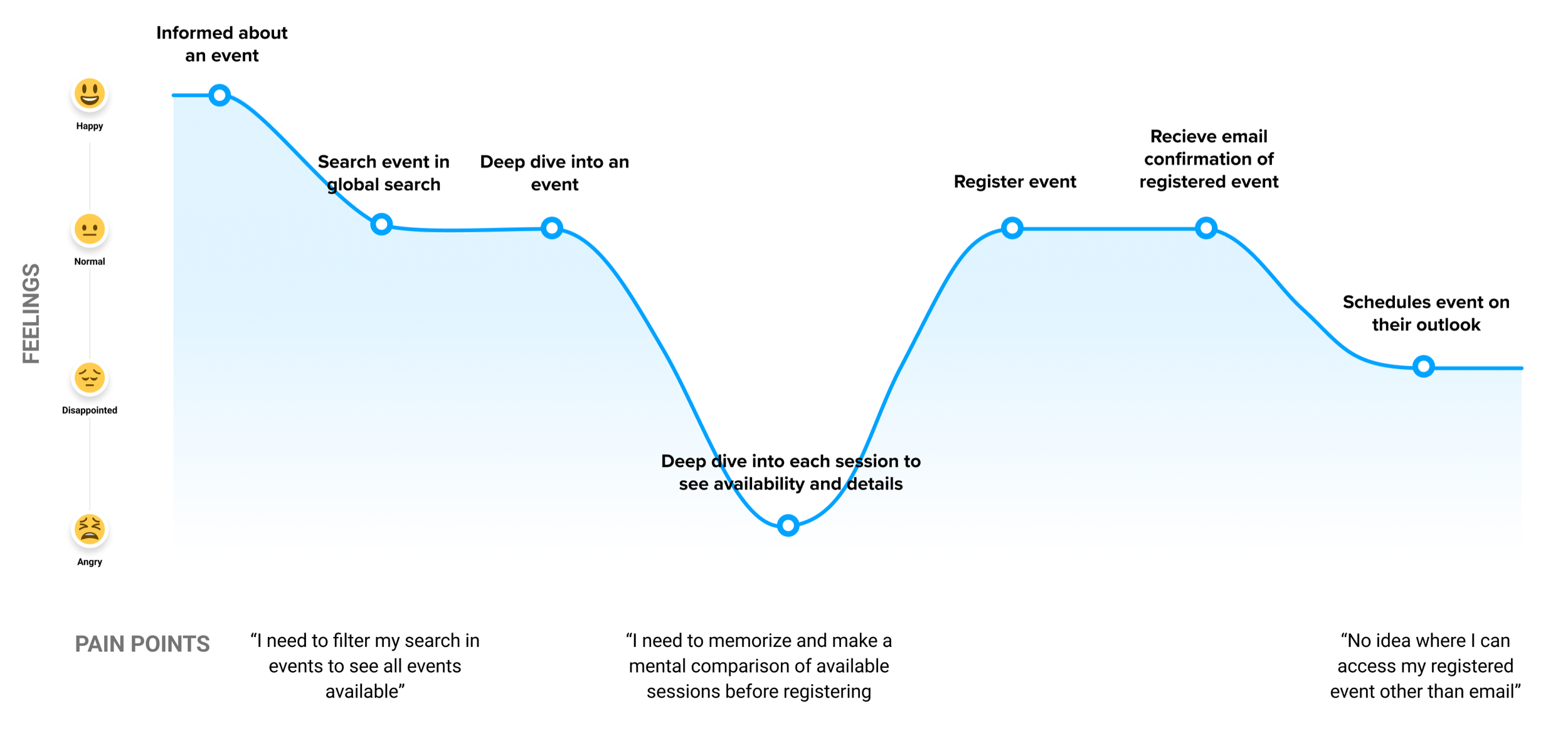
We were asked to redesign the legacy product, Events Calendar, based on the poor usage adoption and sales team demand for a modern UI for their sales pitch. The request was to give the product a facelift, applying our new design system; however, given the legacy patterns and flows, it didn’t make sense. Also, the fact anyone was barely using it made it apparent the problem was deeper than just the legacy look. We asked a couple customers to fill out a questionnaire and observed them to perform the core task of registering an event. This is what we discovered.

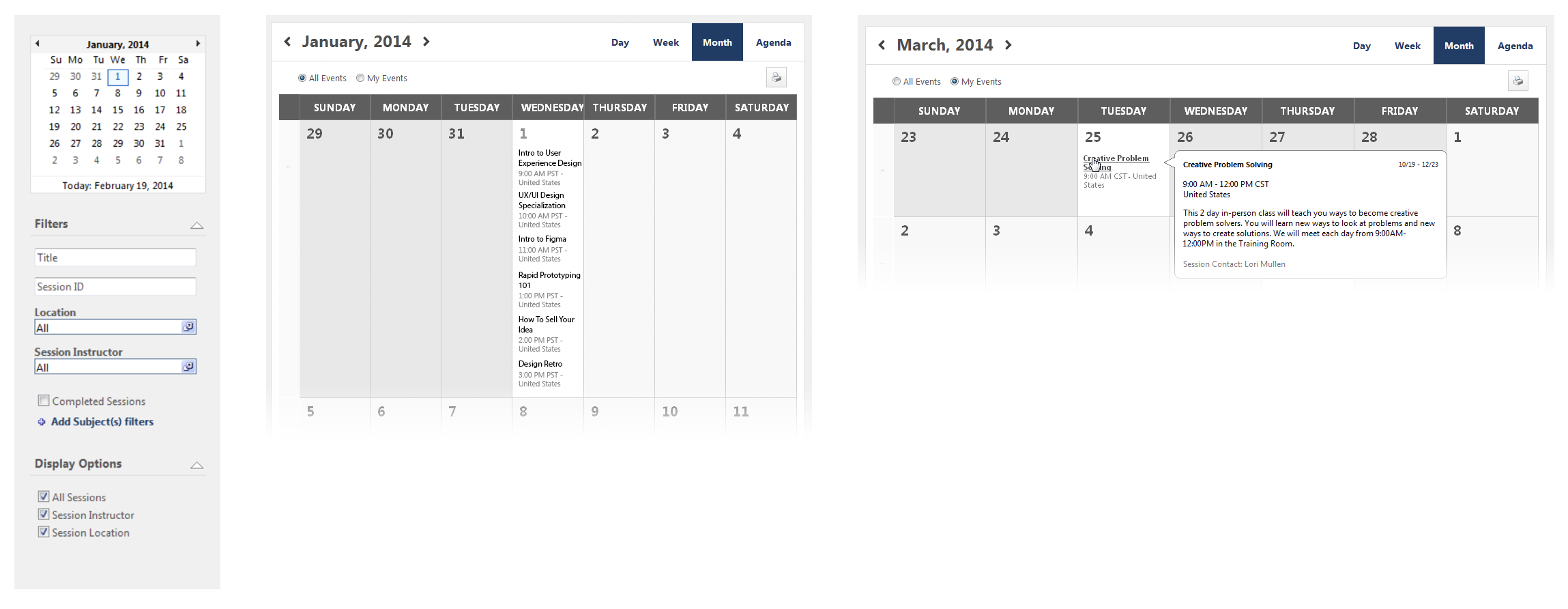
Too many unnecessary bells and whistles
There are filter options that learners don’t even understand. With so many options ends up confusing the learner instead.
Not scalable
Many clients structure their events in different ways. Cases where multiple events on the same day and location becomes complex to browse.
Is this event available?
An event can have multiple sessions and learners have to deep dive in each individual session details in order to see information that matters the most to them such as availability.
Problem
Learners are not using Events Calendar. They have difficulty finding events they are interested in and managing their events
Takeaways
Most learners are required to register events
Most learners don’t browse for events. Instead they search for the event they are required to attend in order to immediately fulfill their work.
Content is king
Learners care what the event is about more than when or where it is happening. They are willing to register for events that aren’t required if they are interested in it.
No one wants another management system
Most learners are confused between the different management systems their courses and events are registered.
Goal
How might we give learners an easy and clear way to find and manage events seamlessly in their existing flow?
Design Journey
We went through multiple iterations of the core design flow and improved each iteration on a weekly basis, based on feedback from the learners, other designers, and the team.
Iteration 1
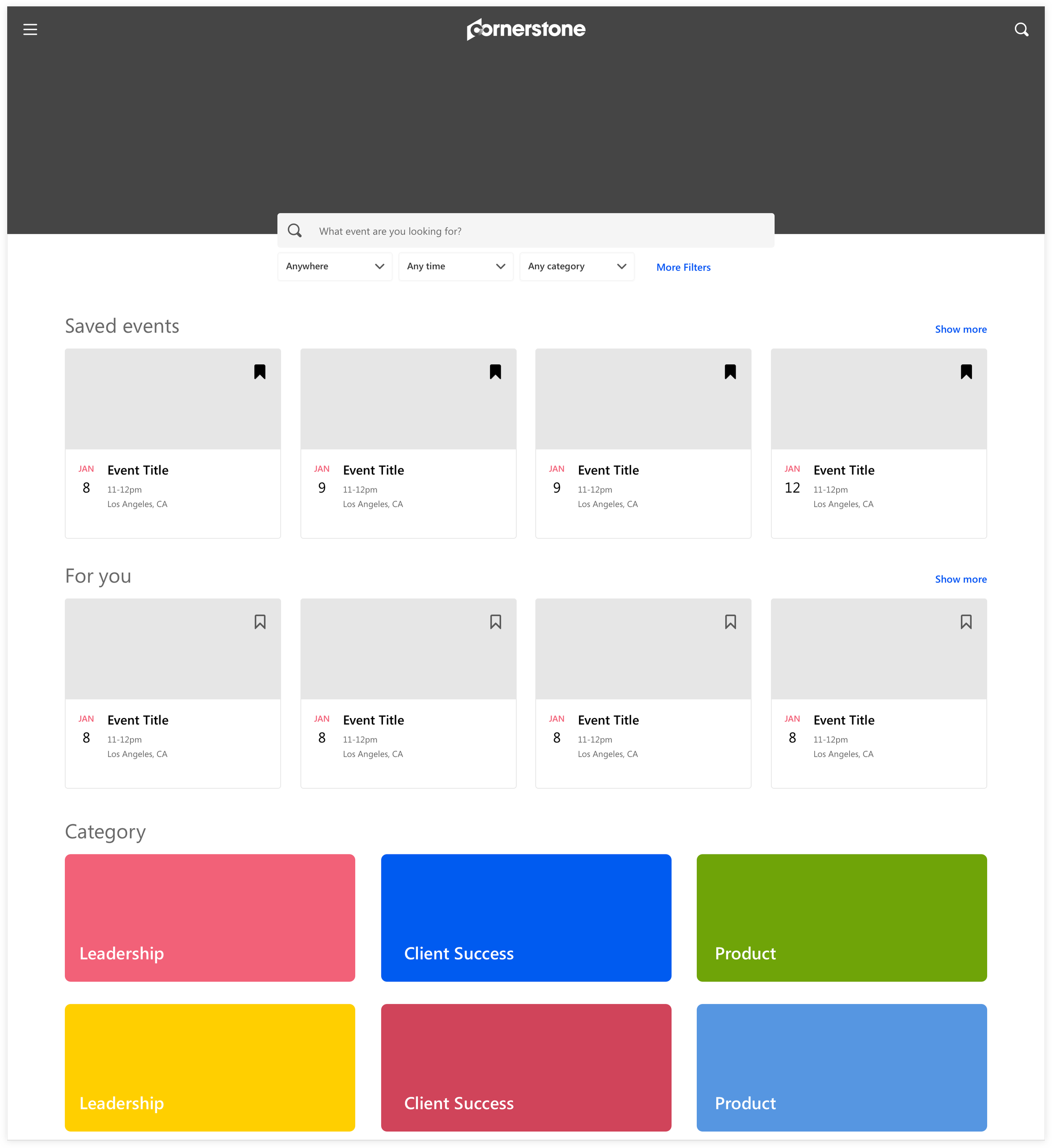
Market the events
By focusing on content as king, we tried a polarizing approach and designed revolving around events. We took a marketplace structure in hopes to promote more interests in events. With a more emphasis on browsing, this approach became confusing, since it resembled a lot of what the core Learning product was meant to do.
Iteration 2
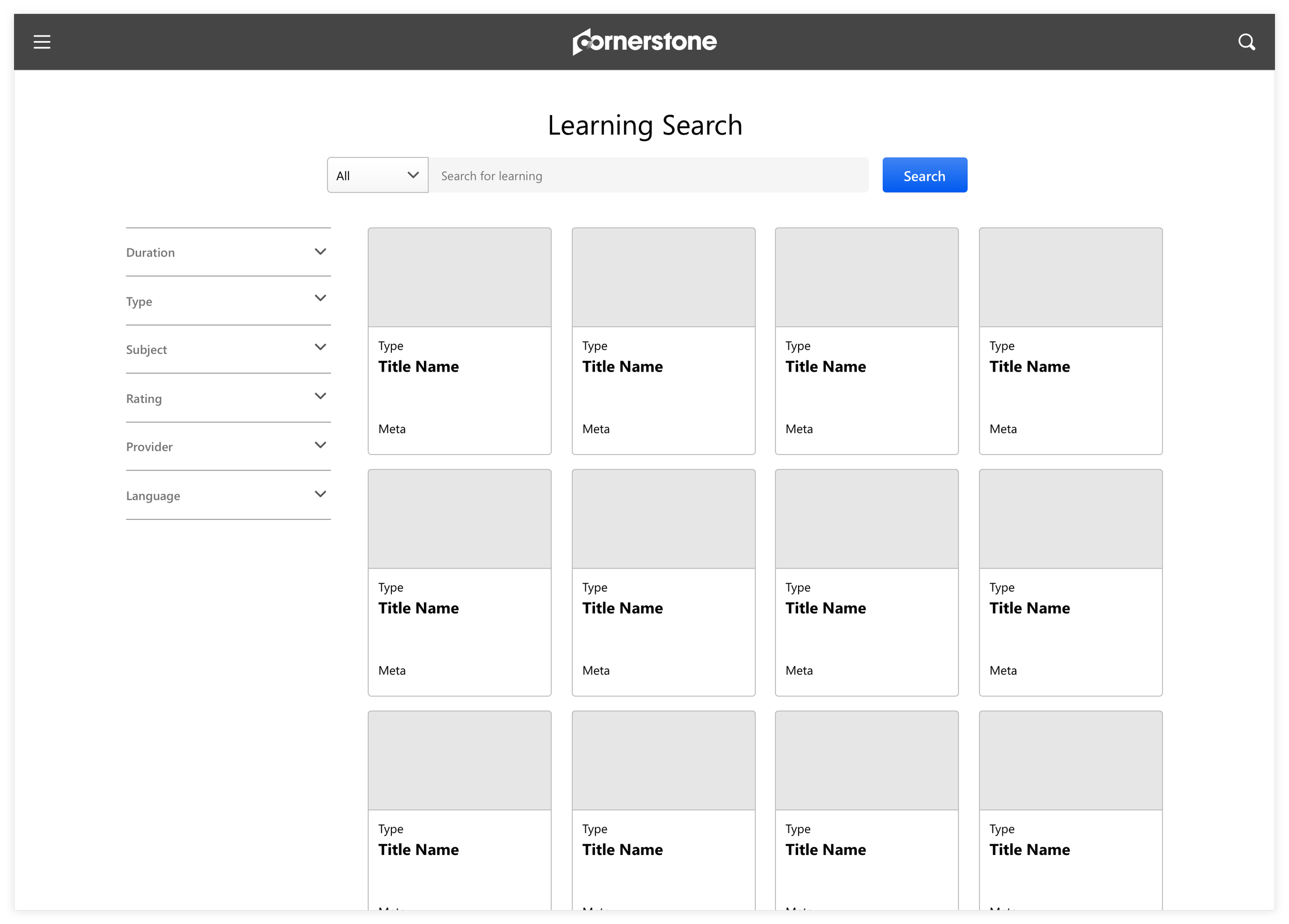
Promote search
We pulled back to a more utilitarian approach, which paired well with the existing Learning core flow. Also, putting a more emphasis on search helped keep the experience simple and receptive to what the learner is intended to do.
Iteration 3
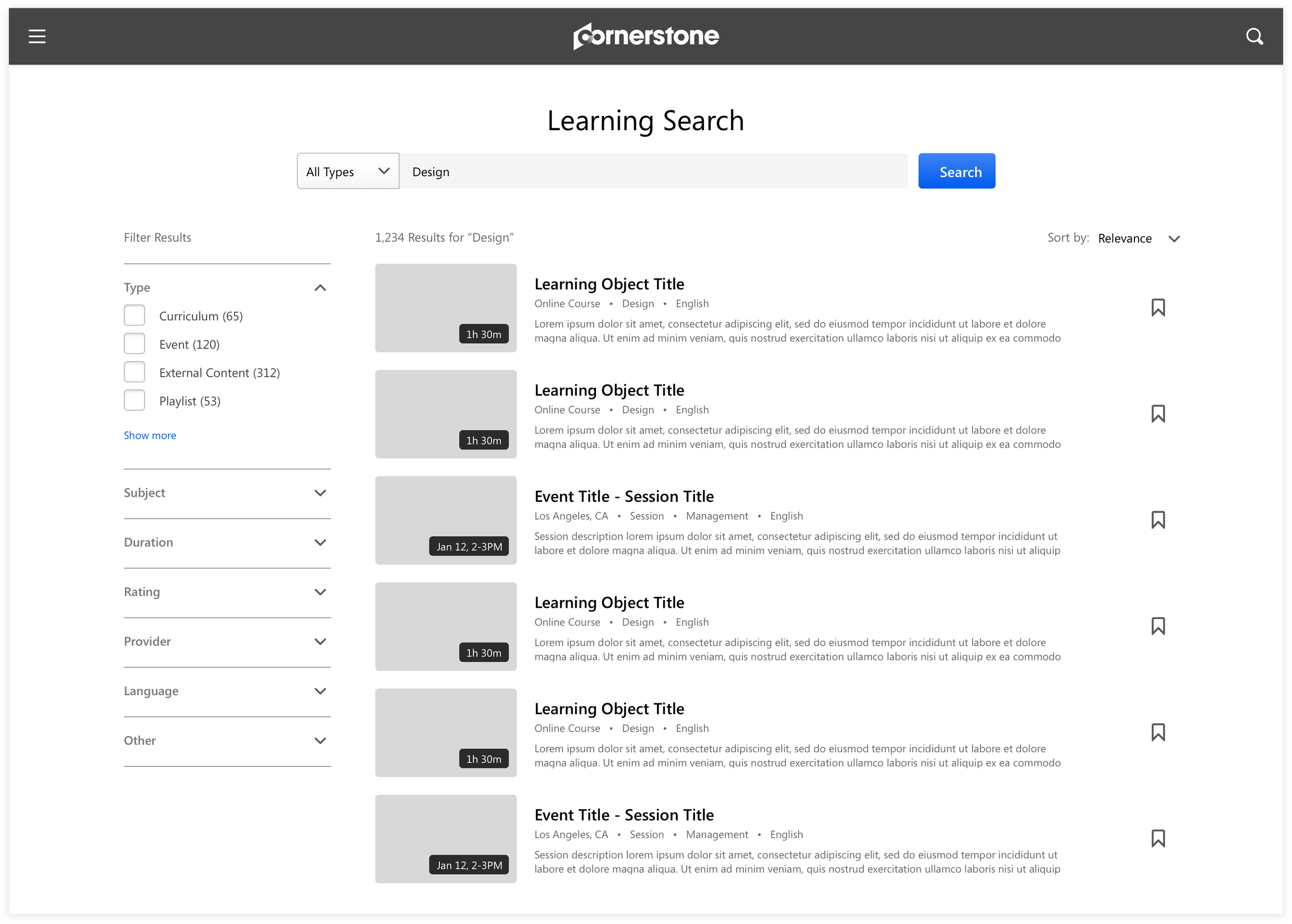
Show more details
We explored other content card designs that showed more details upfront to help the learners validate the event they are searching for, but mainly to ensure they are close to finding what they are looking for. We also encouraged browsing by adding secondary actions on this level to ‘Save for later’.
Iteration 4
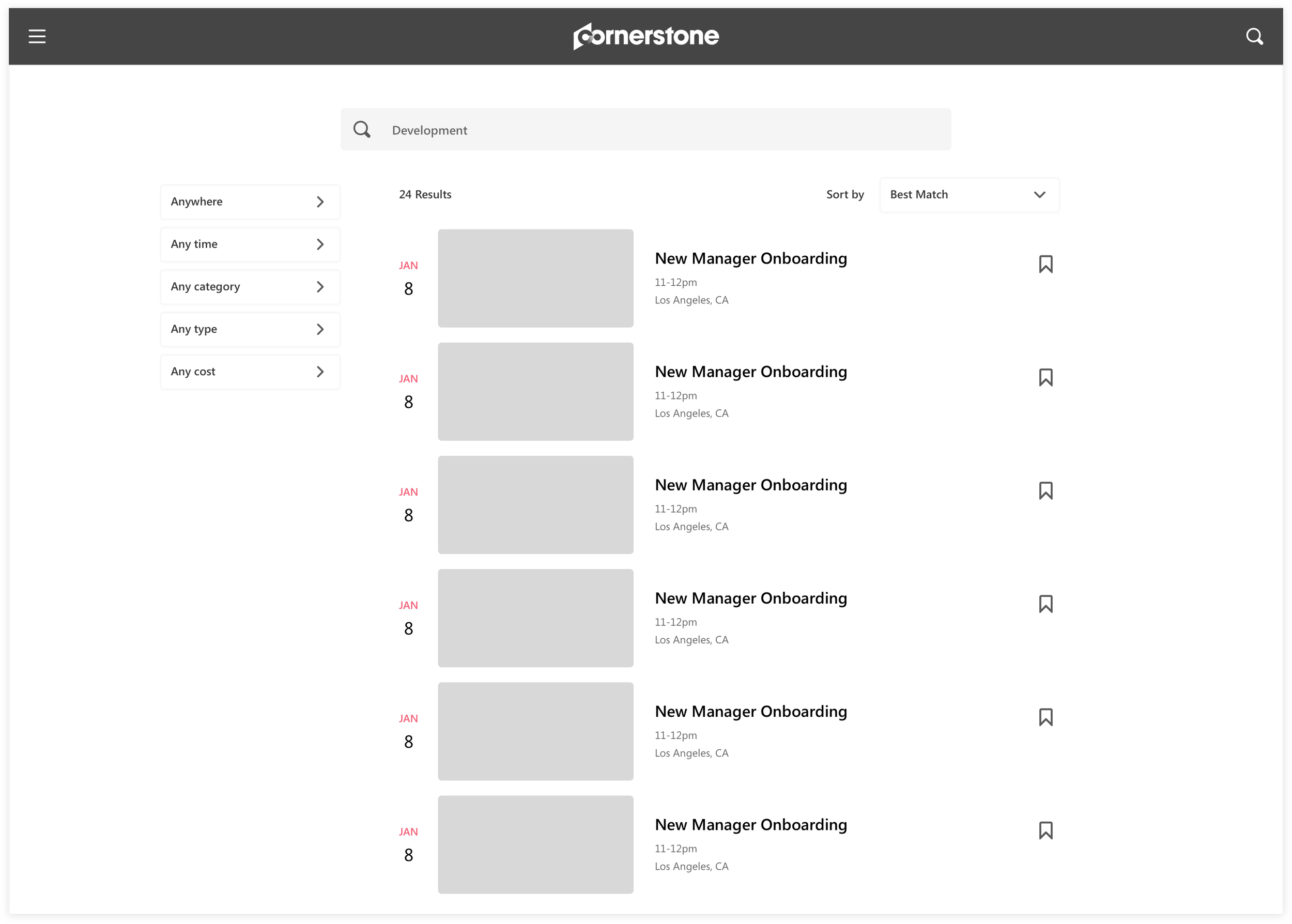
Emphasize on time
Though content is king, the time of event is still important. We emphasized the time of event more as part of the card design. This helped differentiate the design from other search pages and ties back to the idea of events.
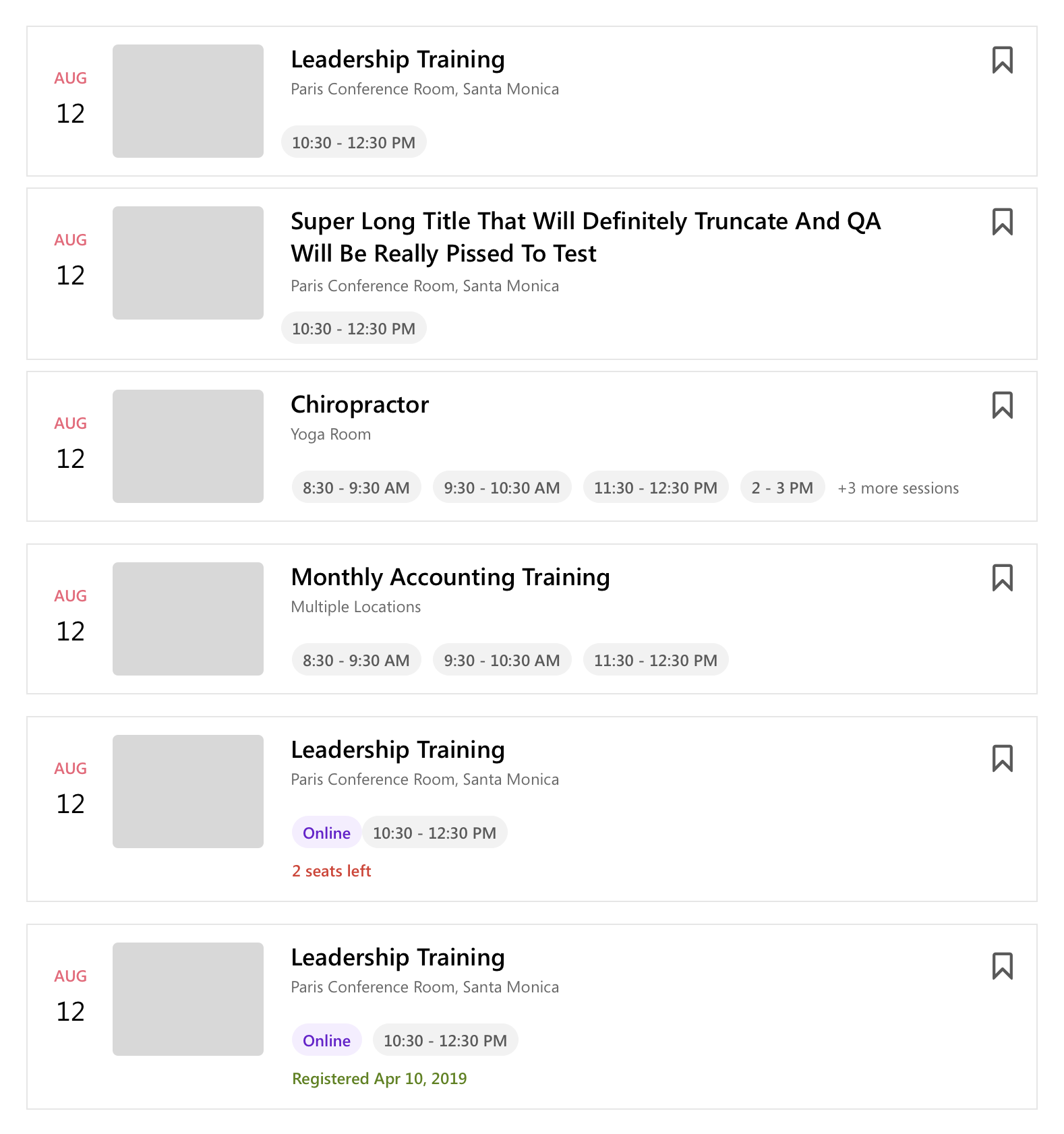
Event component variations
There were many different asks to what information was needed at this level to help learners get enough idea to want to learn more about the event. We prioritized what meta information should be emphasized.
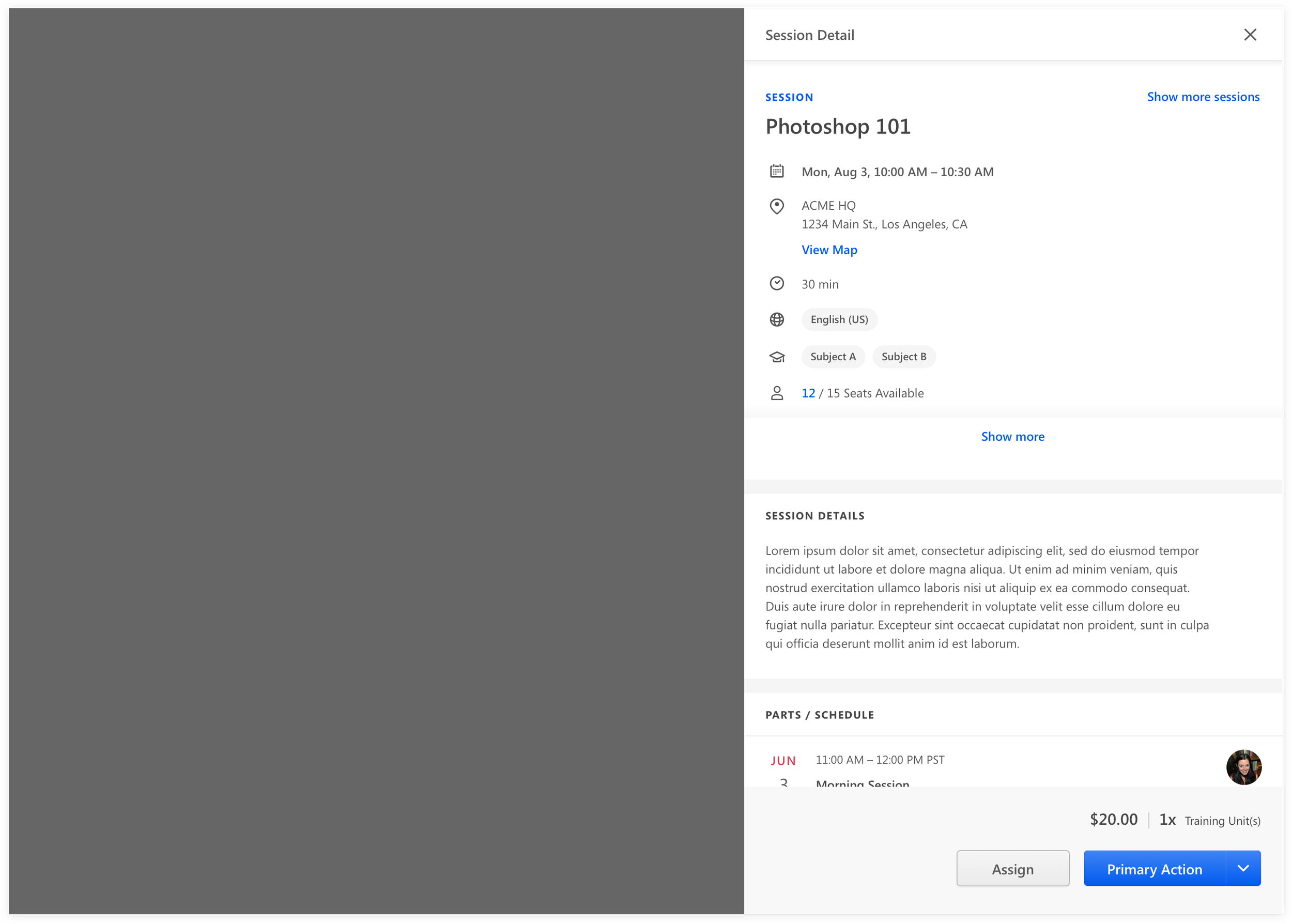
Session detail flyout
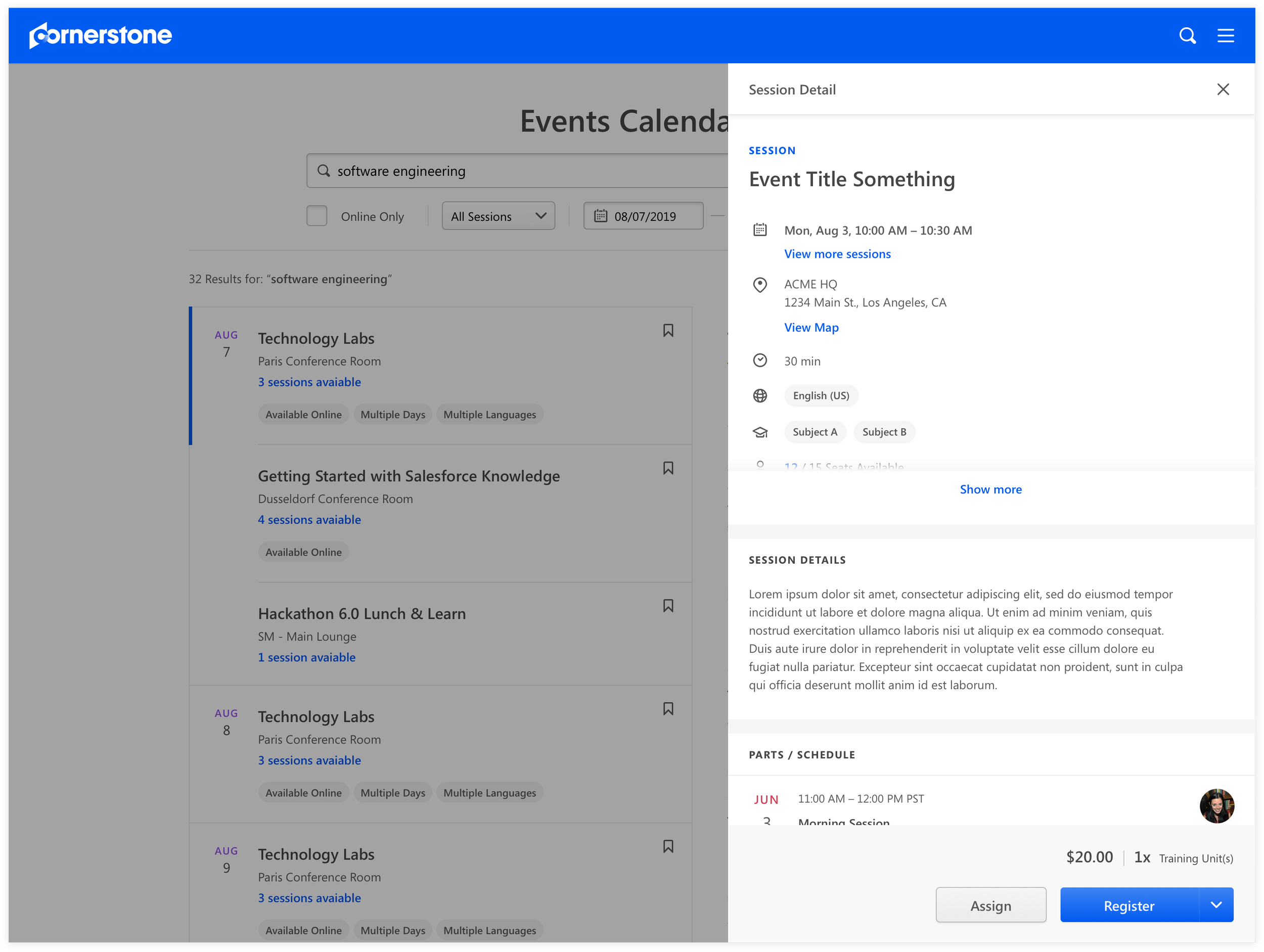
To encourage a frictionless experience for learners to register more events as intended, we designed the session details as a flyout in order to keep the learner in Events Calendar page. Learners were able to see the full details of the session and more importantly act on the session immediately.
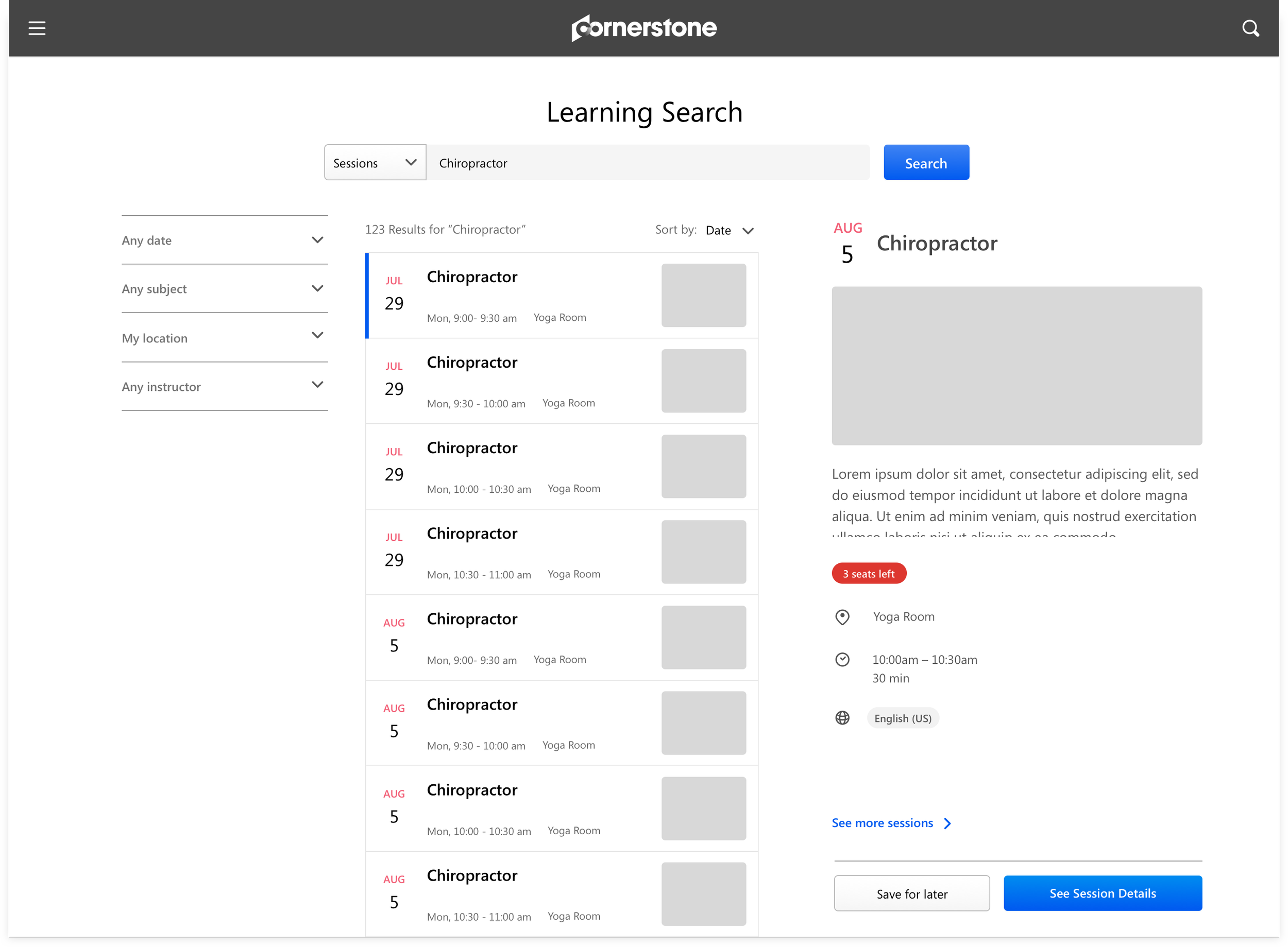
Iteration 5
Balance between browsing events vs events details
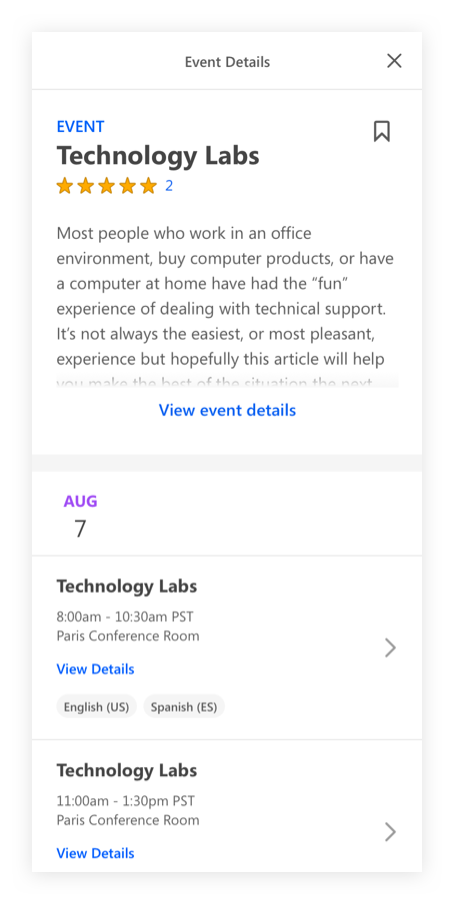
We noticed learners always want to confirm all details of an event before they commit to it. Instead of having the learner deep dive into an event page to a session page, we decided to allow user to preview the event details, as well, act on it immediately on the same page.
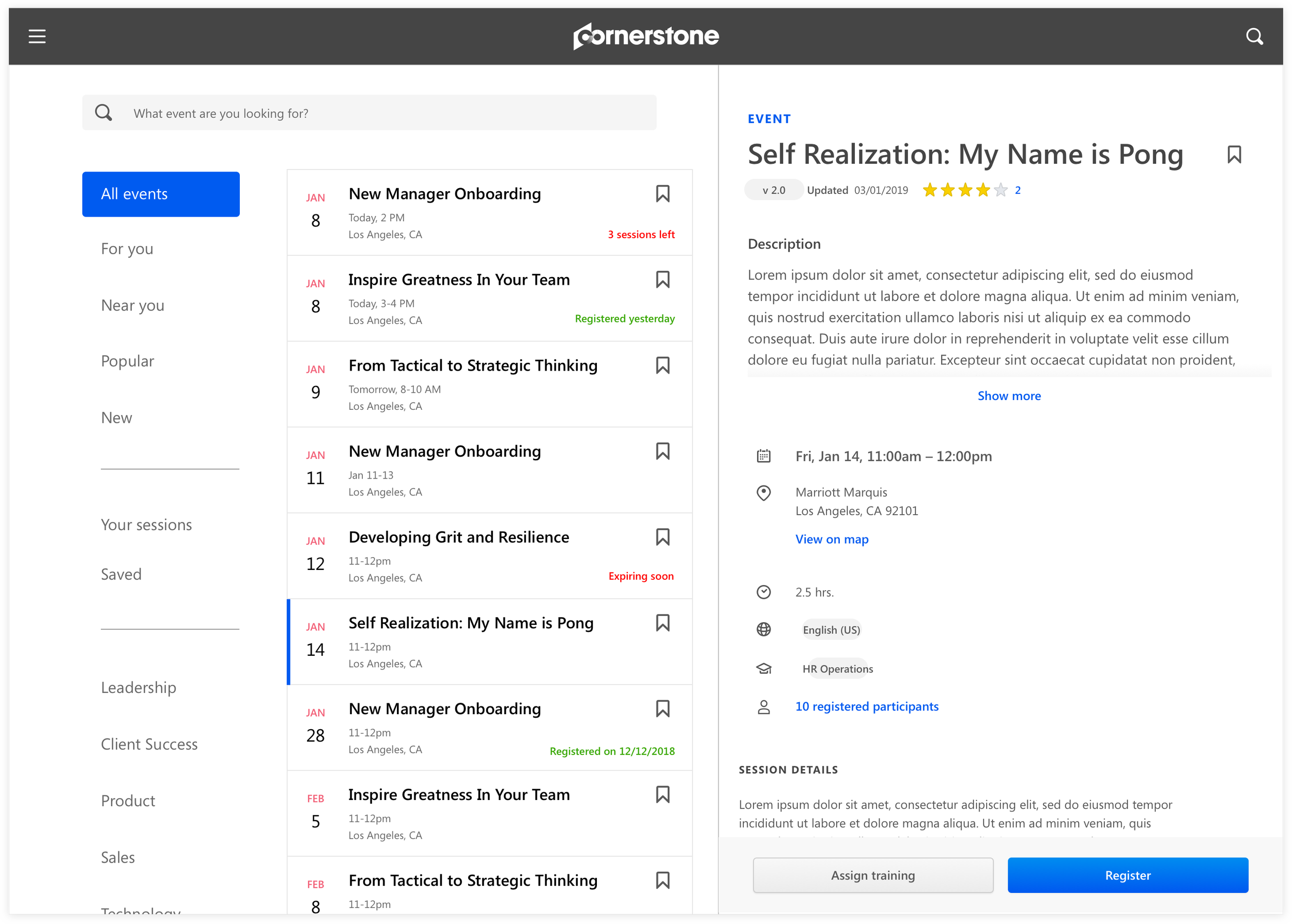
Iteration 6
Refinement
After we tested a few mockups with volunteered client data, we realized event graphics are rarely used. In the end, placeholder images took up a lot of space and was more noise than anything.
Final Design
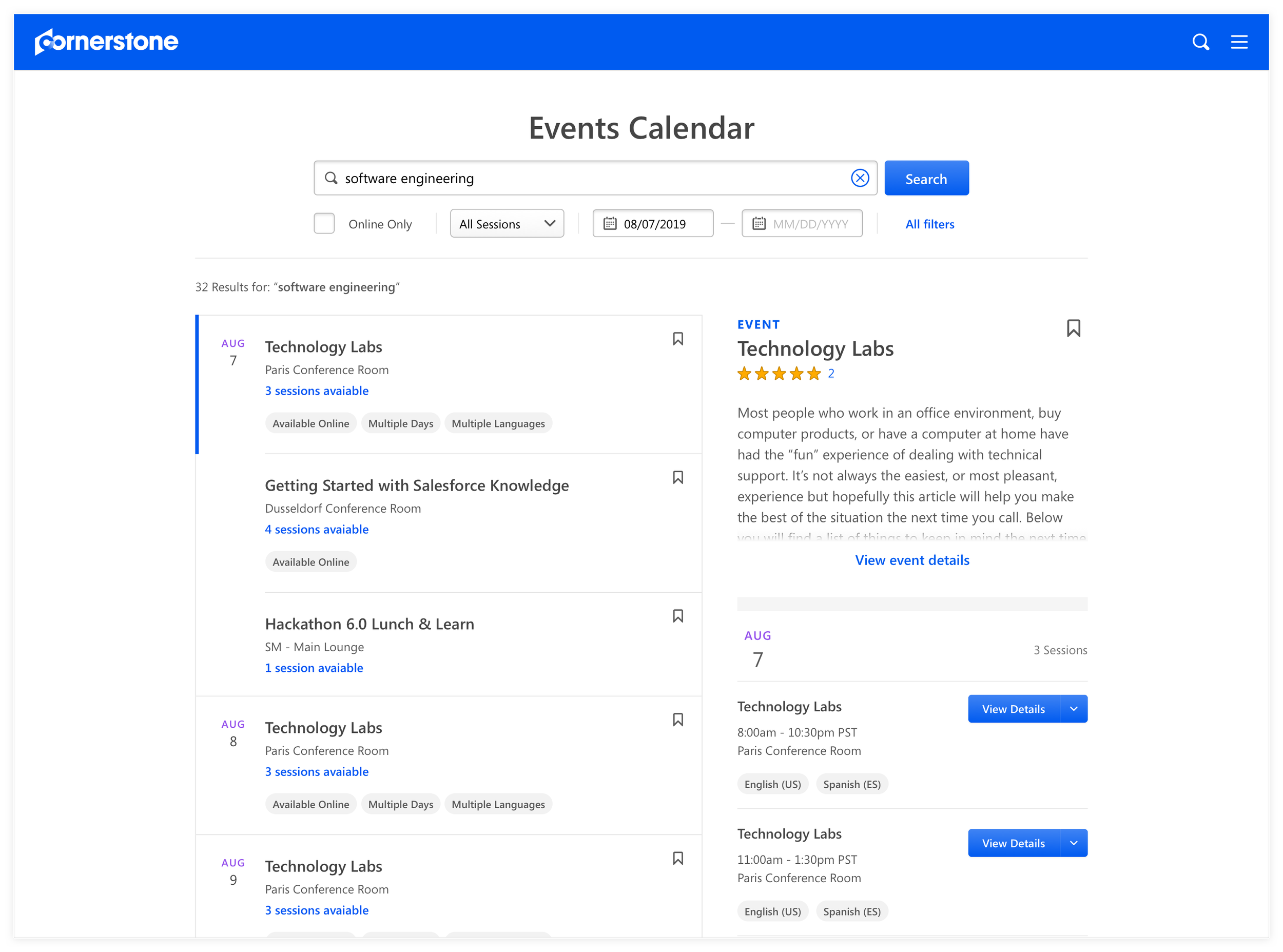
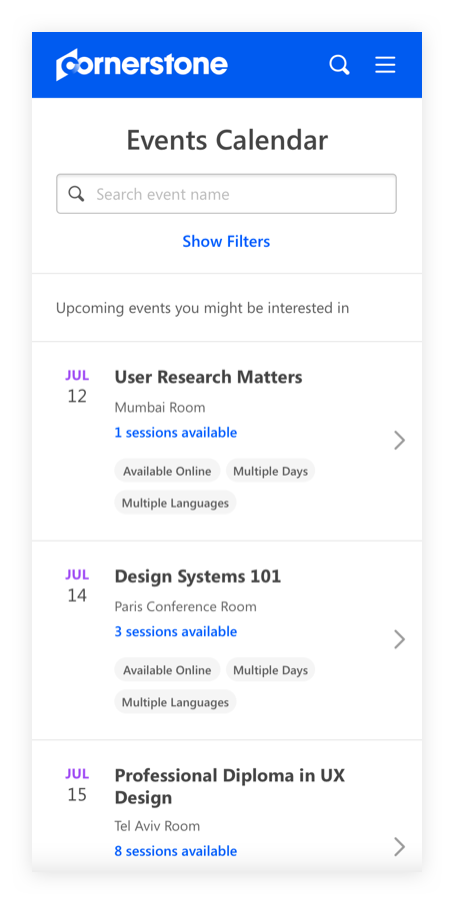
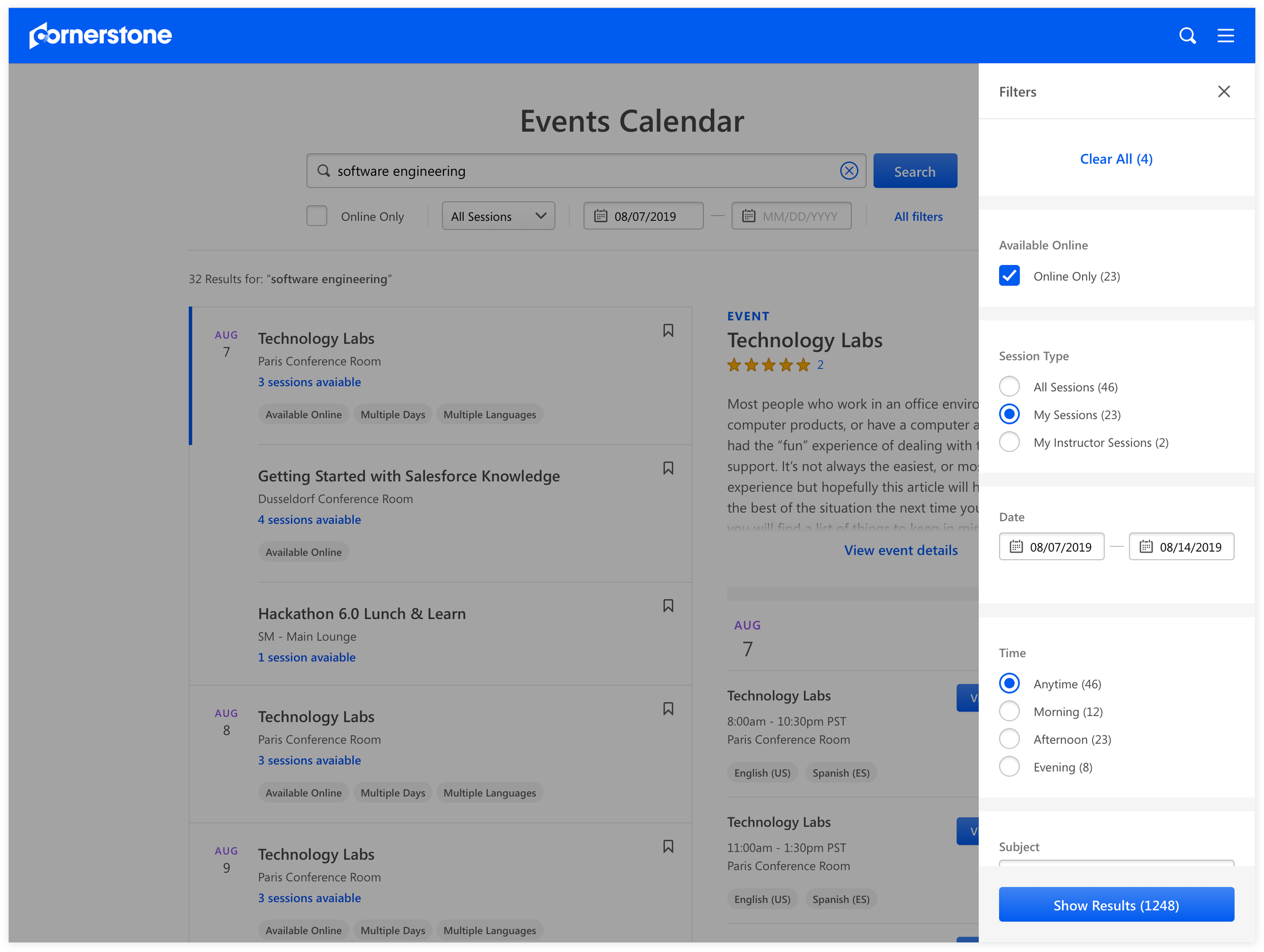
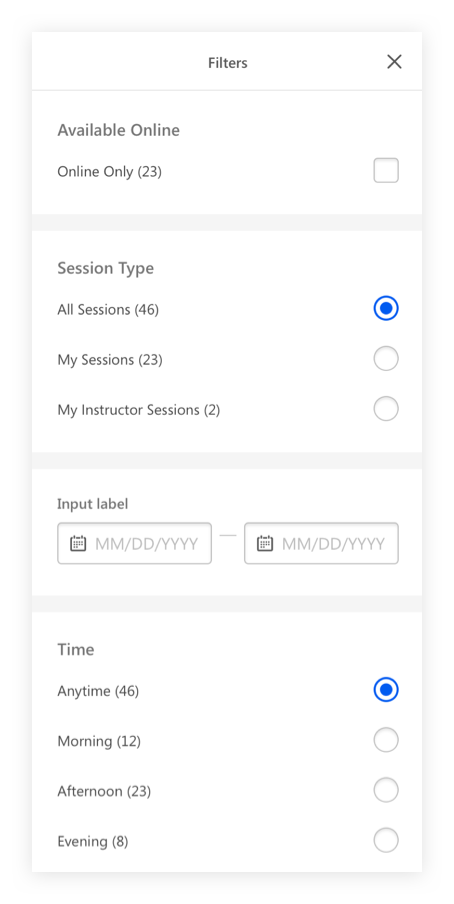
After countless iterations and user testing, we completely re-imagined Events Calendar from a calendar design to a utilitarian search design with less emphasis on time. We removed a lot of marketing considerations, which mainly included imagery and category browsing, since it convoluted the experience and did not help with our goal. Instead, we focused on the primary flow of easily searching for an event by putting search above all and making filters a secondary consideration. We decided on the event detail preview on the results page and session details flyout as it supported retention and encouraged event registrations. More so, we simplified the events calendar management experience by deprecating it and combining it with Learning management tools. Overall, the whole ensemble helped create a simple frictionless experience that supported our goal.
Design Handoff
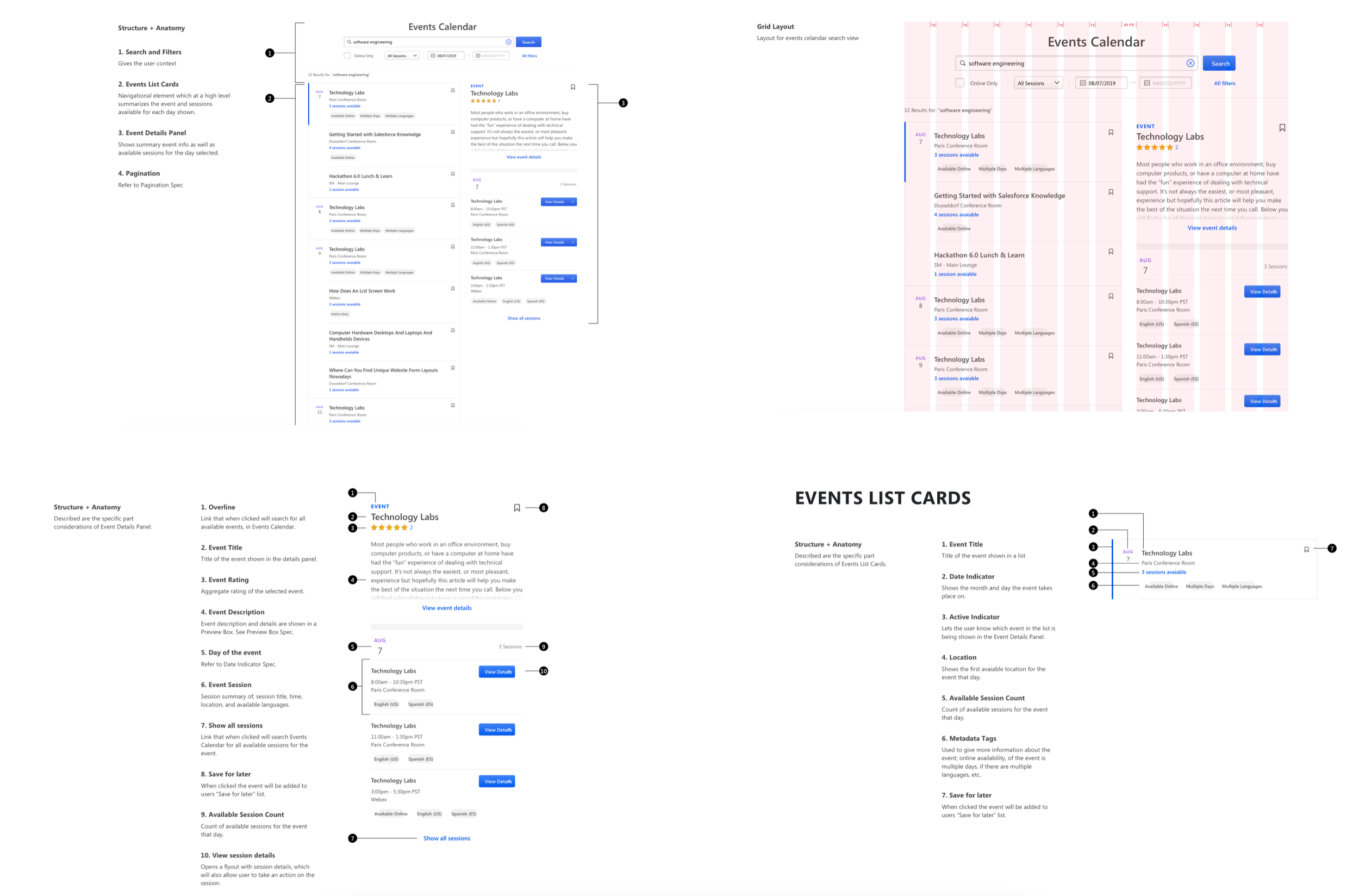
Only 2 new components, couple additional variations of existing components, and 1 new grid layout were invented from this project. The handoff to developers was simple, since we already had a good process for adding and making changes to the design system. We delivered and communicated specs for tile component and preview window.
Business Impact
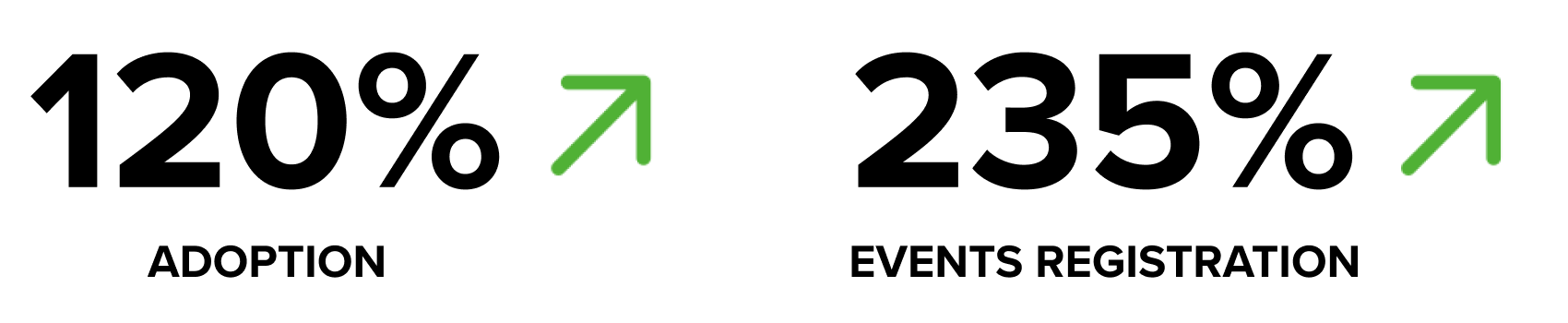
Three months after launch, usage of Events Calendar increase by 120%. There was a 235% increase in events and sessions registrations. Also, there were numerous positive testimonials from our clients. Many of them were about the simple approach of the page and smart integration of Learning core flows, which now manages courses and events seamlessly.